I picked up my phone to check the weather. Forty minutes later I was watching a stranger regrout a bathroom, I still didn't know if it would rain, and I had somehow agreed to a free trial of something. Classic.
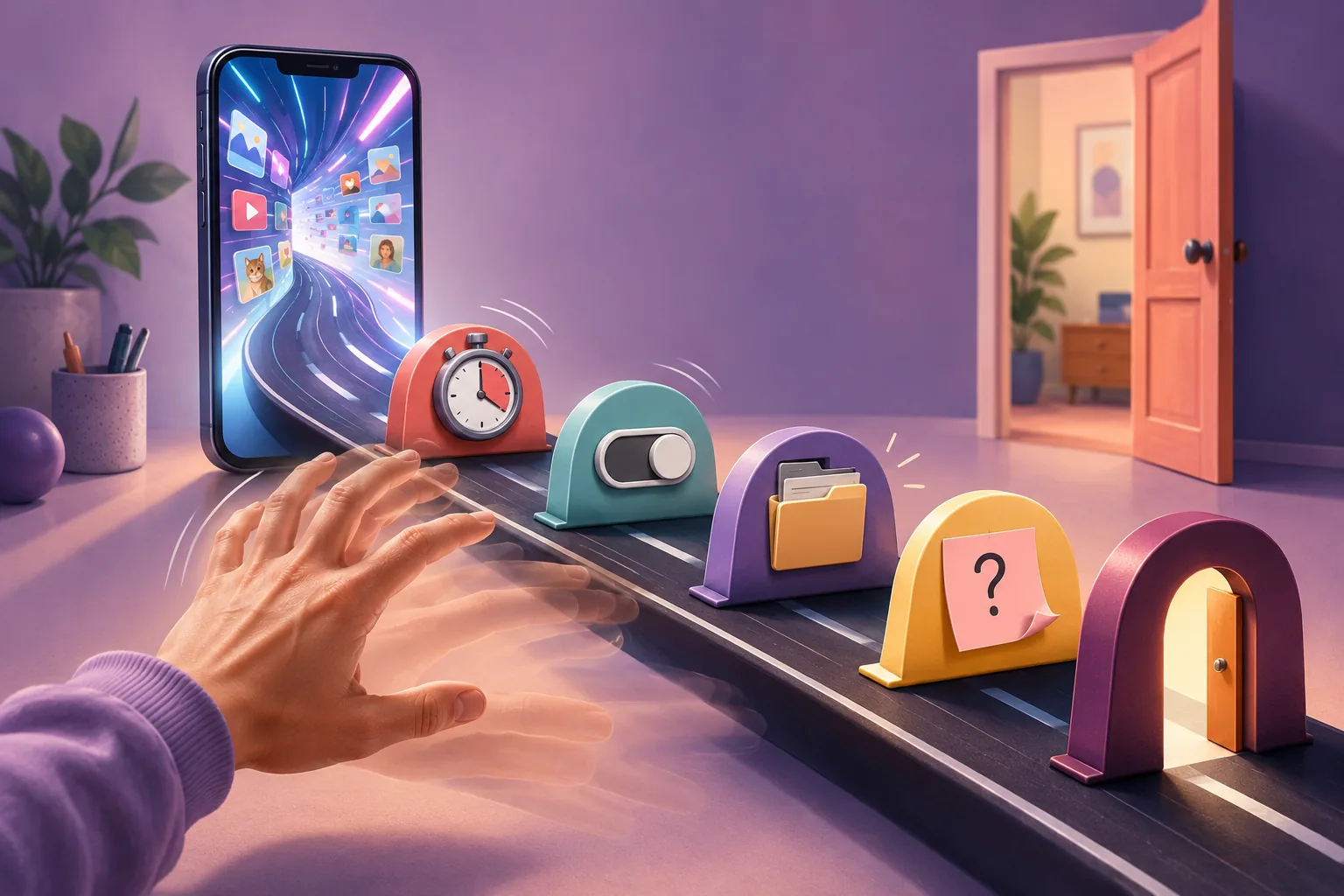
For years I called this a discipline problem. It isn't. My phone is a beautifully engineered slot machine, and my ADHD brain is exactly the brain it was designed to catch. So I stopped trying to out-willpower a billion-dollar dopamine machine and did something easier instead: I put speed bumps in its way.
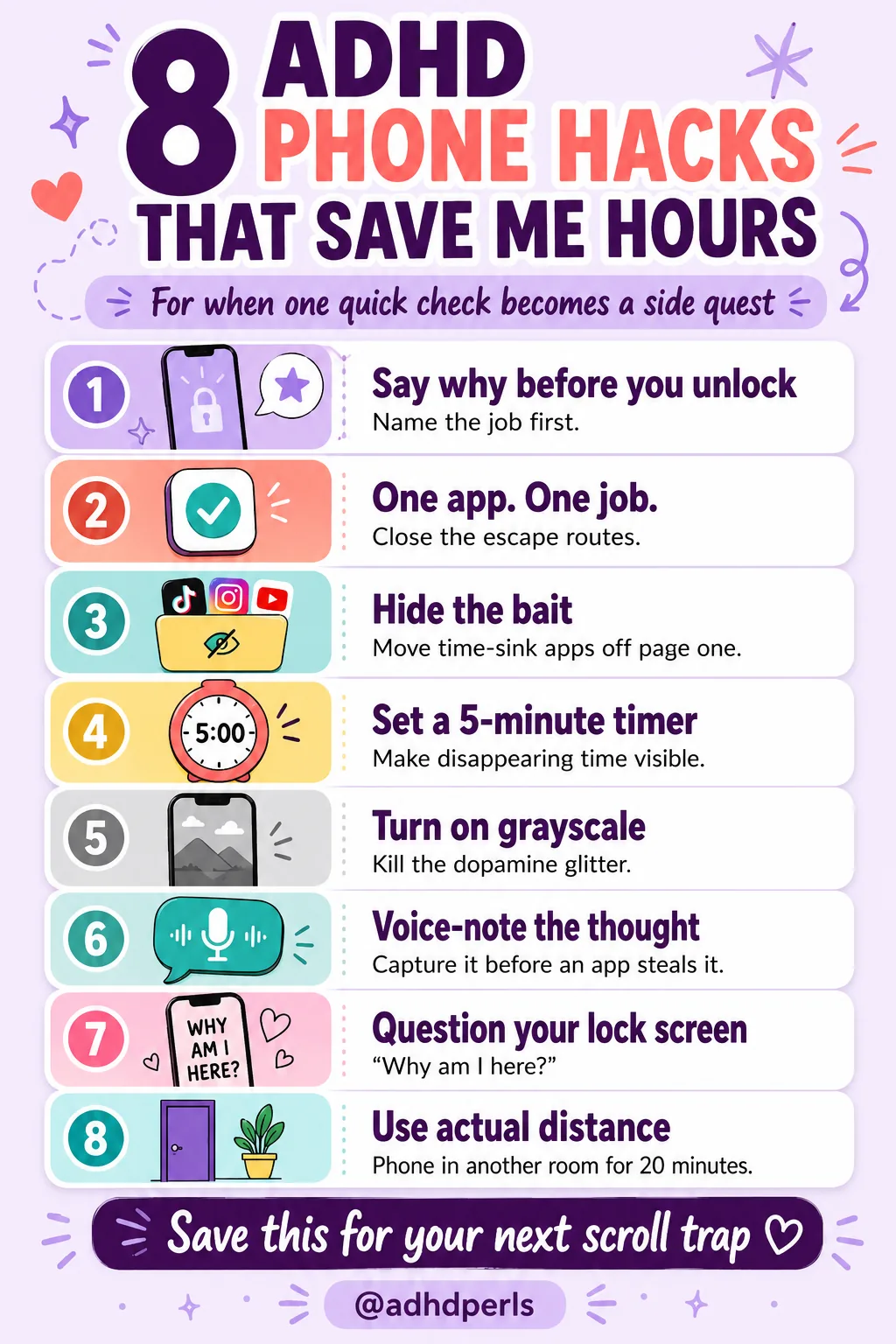
These are the eight ADHD phone hacks that genuinely save me hours — not by making me a stronger person, but by making the phone a little harder to fall into.
This article is personal and educational. It is not medical advice. Problematic phone use can overlap with ADHD, anxiety, depression, and other conditions. If your phone use is affecting your sleep, work, or relationships, it's worth talking with a qualified clinician.
Quick answer
Why does my ADHD brain lose hours to "one quick check"?
Because phones run on variable rewards — the same unpredictable payoff that makes slot machines hard to leave — and ADHD brains are extra sensitive to that loop and slower to disengage once they're in. The fix isn't more willpower. It's adding small speed bumps (friction and cues) so your brain gets a second to choose: name why you unlocked, hide the bait, set a timer, switch to grayscale, and put distance between you and the phone on hard days.
One honest caveat before the list: none of these "cure" anything, and I still lose the occasional evening to the bathroom-regrouting corner of the internet. The point isn't perfection. It's tilting the odds back toward your actual life.
Your phone isn't evil. It just needs a few speed bumps.
Key takeaways
📌Phones use variable rewards; ADHD brains are wired to chase that loop and slow to leave it.
📌Willpower fails late at night. Friction and cues don't — so change the setup, not yourself.
📌Grayscale, hidden apps, and a phone in another room quietly lower the pull.
📌Naming why you unlocked gives your brain a second to choose instead of autopiloting.
📌Pick one hack. You don't need a perfect minimalist phone — just a few speed bumps.
Your Phone Isn't Evil — It Just Has No Speed Bumps
Apps make money from your attention, so they're tuned to be frictionless and endless. Every notification is a tiny pull of a lever you might win on, which triggers a little hit of anticipation before you've even decided to look. For a brain that already chases dopamine and struggles to switch away from something stimulating, that's not a fair fight.
And the cost isn't just the minutes you scroll. Research on interrupted work suggests it can take around 23 minutes to fully refocus after a distraction — so a 10-second "quick check" can quietly cost you half an hour of your actual attention. That's the math these hacks are trying to fix.
I wasn't weak-willed. I was a person with an understimulated brain, holding a device built by people whose entire job is to keep me holding it.
From ADHD Pearls
Free Dopamine Menu
24 tiny activities for low-energy, low-capacity days.
My most embarrassing pattern: I'd unlock my phone with a clear mission — "text my sister back" — and the second the screen lit up, the mission evaporated like it was never there. Twenty minutes later, sister still un-texted.
The fix is almost stupidly small: before you unlock, say why. Out loud if you can. "Checking the time." "Replying to one email." Naming the reason gives the thinking part of your brain a half-second to show up before autopilot grabs the wheel.
Tiny move: Next time you reach for your phone, say the reason out loud first — even if you feel ridiculous doing it.
2. Single-Tab Mode: One App, One Job
My brain treats seventeen open tabs as seventeen unfinished obligations whispering at me, plus four escape hatches into other rabbit holes. Opening one thing means walking past all of them.
So I give a phone session one job. One app, one tab, then close it. Fewer open doors means fewer accidental detours, because every extra tab is another invitation to "just quickly" check something else.
Tiny move: Before you start a task on your phone, close every tab and app except the one you actually need.
3. Hide the Bait Off Page One
If a time-sink app is on my home screen, my thumb finds it before my conscious brain has clocked in for the day. It's not a decision; it's a reflex with a destination.
So I move the worst offenders — social, news, games — off page one and into a folder on the very last screen. It's a small barrier, but small barriers are exactly what an automatic reach can't get past without you noticing. ADHD experts recommend this for the same reason: it gives your prefrontal cortex a beat to wake up before you've already opened the app.
Tiny move: Drag your single most time-consuming app off your home screen right now.
4. Set a Timer Before You Scroll
"Five minutes of TikTok" is the second-biggest lie I tell myself, right after "I'll definitely remember that without writing it down." Both have cost me dearly.
When I genuinely want to scroll — and sometimes I do, that's fine — I set a 5-minute timer first. The alarm isn't a punishment. It's the speed bump: a moment where time, which had quietly disappeared, becomes real again and I get to choose whether to keep going.
Tiny move: Next time you open a rabbit-hole app on purpose, set a 5-minute timer before you start.
5. Turn On Grayscale to Kill the Glitter
Confession: I switched my phone to grayscale, felt deeply superior for about a day, then a friend sent a photo of her new puppy and I flipped the color straight back on. The puppy won. I am only human.
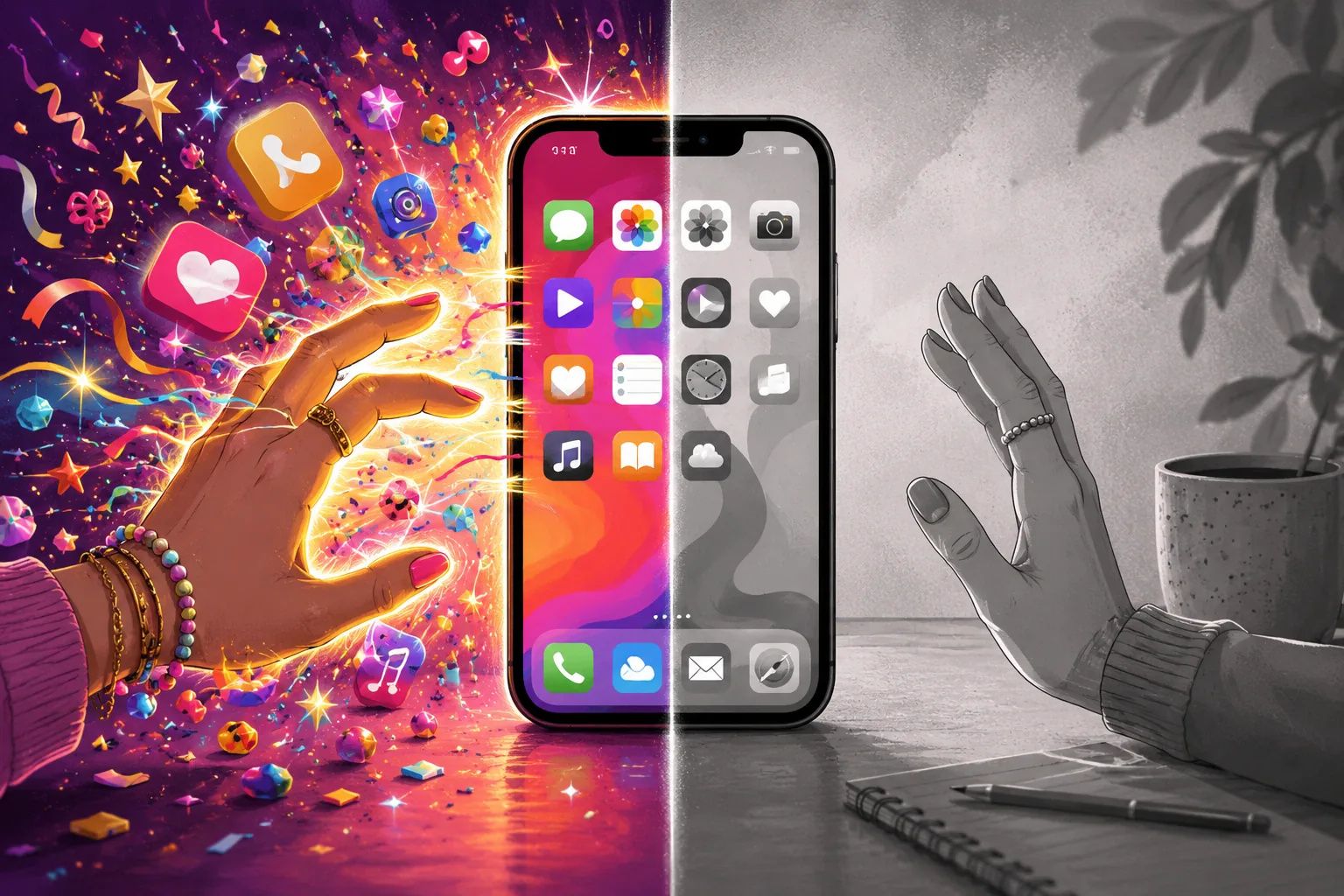
But on ordinary days, the gray does quiet work. Without the bright, saturated colors, apps are just… less interesting to look at. That's not in my head: in one study, students who switched to grayscale spent roughly 38 fewer minutes a day on their phones. Less dopamine glitter, less doomscroll pull.
Removing the color does not remove the apps, but it can make them far less interesting.
Most phones let you toggle it fast — usually in Accessibility, often as a triple-click shortcut so you can drop into color when the puppy photos arrive.
Tiny move: Turn on grayscale and live with it for one day before you judge it.
6. Voice-Note the Thought Before the App Steals It
Here's a specific tragedy: the thought "I must book the dentist" arrives, I unlock my phone to do it, an app catches my eye on the way, and twenty minutes later both the dentist and the original thought are gone. The phone ate the very task it was supposed to help with.
So now, when a thought shows up, I voice-note it instead of diving into an app. "Book the dentist. Email the school. Buy more of the good coffee." Capturing it out loud means I don't have to open the rabbit hole to hold onto it — the thought is safe, and my attention stays where it was.
If your brain is throwing tasks at you faster than you can catch them, a free Stuck Reset can help you turn the pile into one tiny next move.
Tiny move: The next time an "I must…" thought appears, voice-note it instead of unlocking into an app.
7. Put a Question on Your Lock Screen
My wallpaper asks me "Why am I here?" Yes, it's mildly existential at 11 p.m. No, I don't want to talk about it. But it works.
A question on your lock screen is a cue that interrupts the automatic reach. For half a second you have to answer — and "I don't actually know" is often enough to make you put the phone back down. It's the same logic as saying the reason out loud, except the phone reminds you instead of relying on you to remember.
Tiny move: Set your lock-screen wallpaper to a short question — "Why am I here?" or "Is this the thing?"
8. Phone in Another Room on Hard Days
On a good day, I can leave my phone face-down and resist it through willpower. On a bad day, willpower has clocked out and gone home. Most of my days have at least one bad stretch — so for the things that actually matter, I rely on distance, not discipline.
When I need to focus, the phone goes in another room. Not face-down on the desk, where "one quick check" is a wrist-flick away — actually out of sight, behind a door, requiring me to stand up. That tiny bit of effort is usually enough to break the reflex, because the willpower you don't have to spend is the willpower you can't run out of.
On depleted days, distance works better than discipline.
This is the same friction trick that helps with late-night phone scrolling — distance beats willpower when you're depleted. And if the problem is not how much you use the phone but what has piled up inside it, that is a separate twenty-minute job.
Tiny move: For your next focus block, put your phone in a different room for just 20 minutes.
At a glance
The 8 phone hacks
The hack
What it targets
Tiny move
Say the reason
Autopilot unlocking
Say why out loud before unlocking
Single-tab mode
Escape routes
Close everything but the one app
Hide the bait
Reflex reaching
Move time-sinks off page one
Timer before scroll
Time blindness
Set a 5-minute timer first
Grayscale
Dopamine glitter
Try grayscale for one day
Voice-note it
Lost thoughts
Voice-note the thought, don't unlock
Lock-screen cue
Mindless reaching
Put a question on your wallpaper
Phone in another room
Willpower on hard days
Out of the room for 20 minutes
Save These ADHD Phone Hacks for Later
Save this visual for the next time one quick check turns into a full digital side quest.
Save the infographic to Pinterest so the hacks are easy to find when your phone starts winning again.
Why does my ADHD brain get sucked into my phone so easily?
Phones are built on variable rewards — you never know if the next swipe brings something good, which is the exact pattern that keeps a dopamine-seeking brain pulling the lever. ADHD brains tend to be more sensitive to that loop and find it harder to disengage once they're in, so "one quick check" turns into an hour. It's a wiring and design problem, not a willpower failure.
Do ADHD phone hacks actually work, or do I just need more willpower?
They work precisely because they don't rely on willpower. Each hack adds a little friction or an external cue — a timer, grayscale, distance, a question on your lock screen — so your brain gets a second to choose instead of running on autopilot. Willpower is the thing that fails at 11 p.m.; a phone in another room doesn't.
Does turning on grayscale really reduce screen time?
There's research suggesting it can. In one study of college students, switching phones to grayscale was linked to roughly 38 fewer minutes of screen time a day, likely because stripping out the bright, saturated colors makes apps less rewarding to look at. It won't fix everything, but for many people it quietly lowers the pull.
What's the best phone setup for ADHD focus?
A good ADHD setup adds friction to the time-sinks and removes it from the useful stuff: bury social, news, and games in a folder on your last page, turn off non-essential notifications, keep grayscale on, and put a "Why am I here?" cue on your lock screen. The goal isn't a perfect minimalist phone — it's a few speed bumps between your thumb and the rabbit hole.
How do I stop "one quick check" from turning into an hour?
Name the reason before you unlock ("checking the time") and set a short timer if you're opening something you know is a rabbit hole. The two biggest levers are intention and friction: saying why you picked the phone up gives your prefrontal cortex a moment to engage, and a timer or a phone in another room makes the autopilot scroll harder to fall into.
Is this phone addiction or ADHD?
They overlap a lot and can look almost identical from the outside. Problematic phone use is more common in people with ADHD, and the same difficulties — sustaining attention, resisting easy dopamine, switching away from something stimulating — drive both. You don't have to diagnose which it is to use these hacks, but if your phone use is harming your sleep, work, or relationships, it's worth talking with a qualified clinician.
Do I have to delete social media entirely?
No, and for most people a full delete does not last. Adding friction - logging out, removing the app from the home screen, keeping it browser-only - tends to work better than a ban you will reverse in a fortnight.
Why do I pick up my phone without deciding to?
Because the reach becomes automatic, triggered by a gap in stimulation rather than by any intention. This is why changing where the phone physically sits works better than trying to catch yourself in the act.
What do I do when a hack stops working?
Swap it rather than escalate it. Most of these rely on novelty and friction, and both wear off. Rotating between two or three setups usually beats searching for one permanent solution.
You don't need a perfect, monk-like minimalist phone, and you definitely don't need to white-knuckle your way through every notification. You need a handful of speed bumps so your tired brain doesn't have to win the argument alone.
Your phone isn't evil. It just needs more speed bumps. Pick one hack from this list and set it up today — that's the whole job. If the day's already gotten away from you, the shame spiral isn't the move; one small reset is.
One tap makes ADHD Pearls a preferred source in your Google account, so our articles surface higher when you search. No signup, and it brings you straight back to this page.
Before you go
Free Dopamine Menu
24 tiny activities for low-energy, low-capacity days.
For the woman who sets up the perfect system on Sunday and abandons it by Tuesday.
One short letter, every week. Real talk about ADHD, task paralysis, and the tiny wins that actually move the needle for a brain like yours. No shame. No hustle culture.