I tried to photograph my daughter blowing out candles and got storage full. Not the first time. I deleted four things at random, took a blurry photo of smoke, and went back to the cake.
Later I looked at what was actually on there. Three thousand two hundred screenshots. I have opened perhaps four of them ever. Every single one was taken deliberately, by me, because I did not want to lose something.
Quick answer
Why is my phone full of things I never open?
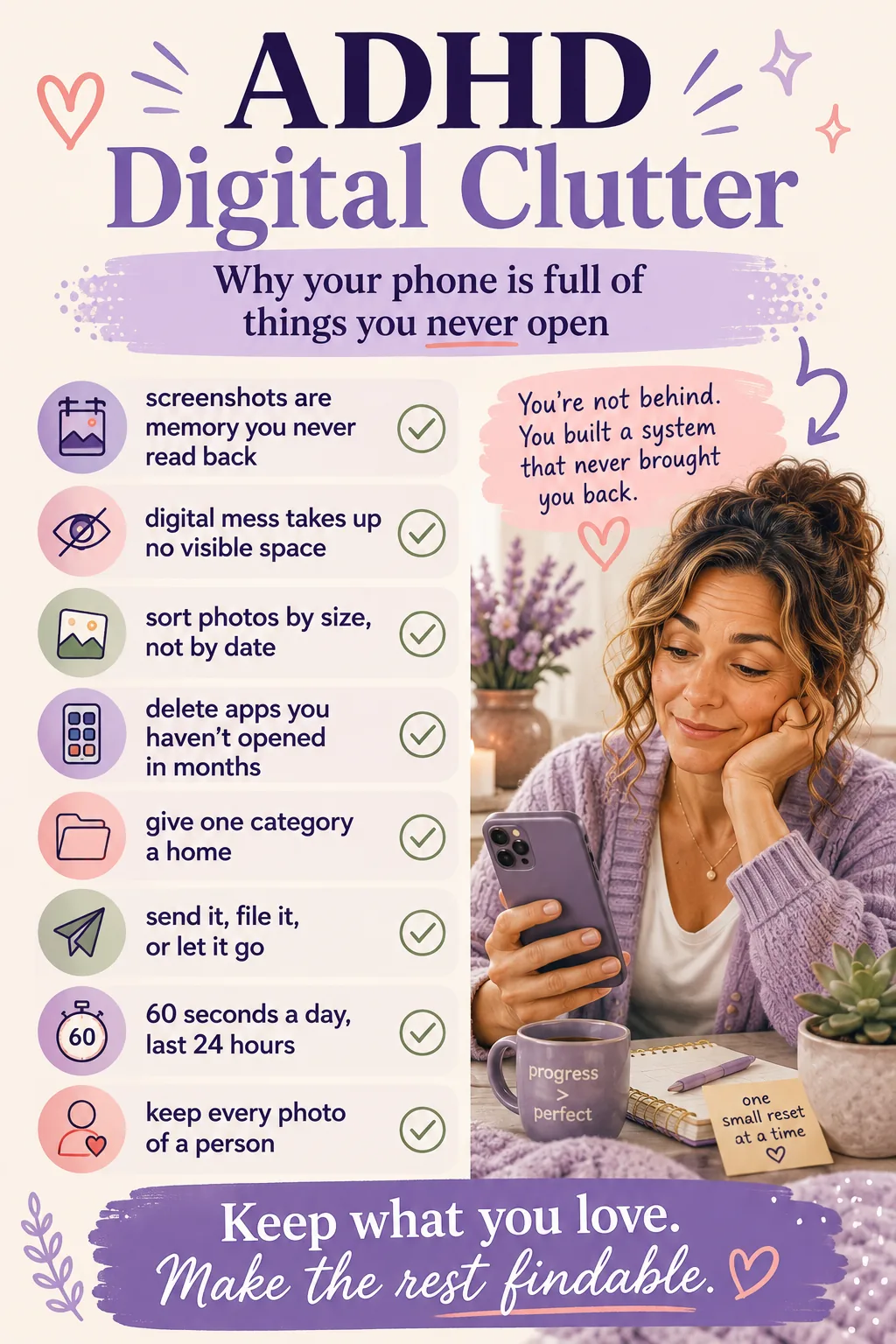
Because you saved them to remember them, and then the saving replaced the remembering. Screenshots, downloads and half-read tabs are external memory for a brain that knows it will forget - but nothing ever prompts you to go back and read them. The pile grows silently, because unlike a kitchen table it takes up no visible space.
Key takeaways
📌You did not hoard. You externalised your memory into a place you never check.
📌Digital mess is invisible, so it never triggers the discomfort that makes you deal with it.
📌Twenty minutes in four timed blocks beats one heroic afternoon you will not schedule.
📌The screenshot rule: send it or file it now, or accept you are never opening it.
📌This is not a digital detox. You are not deleting anything you love.
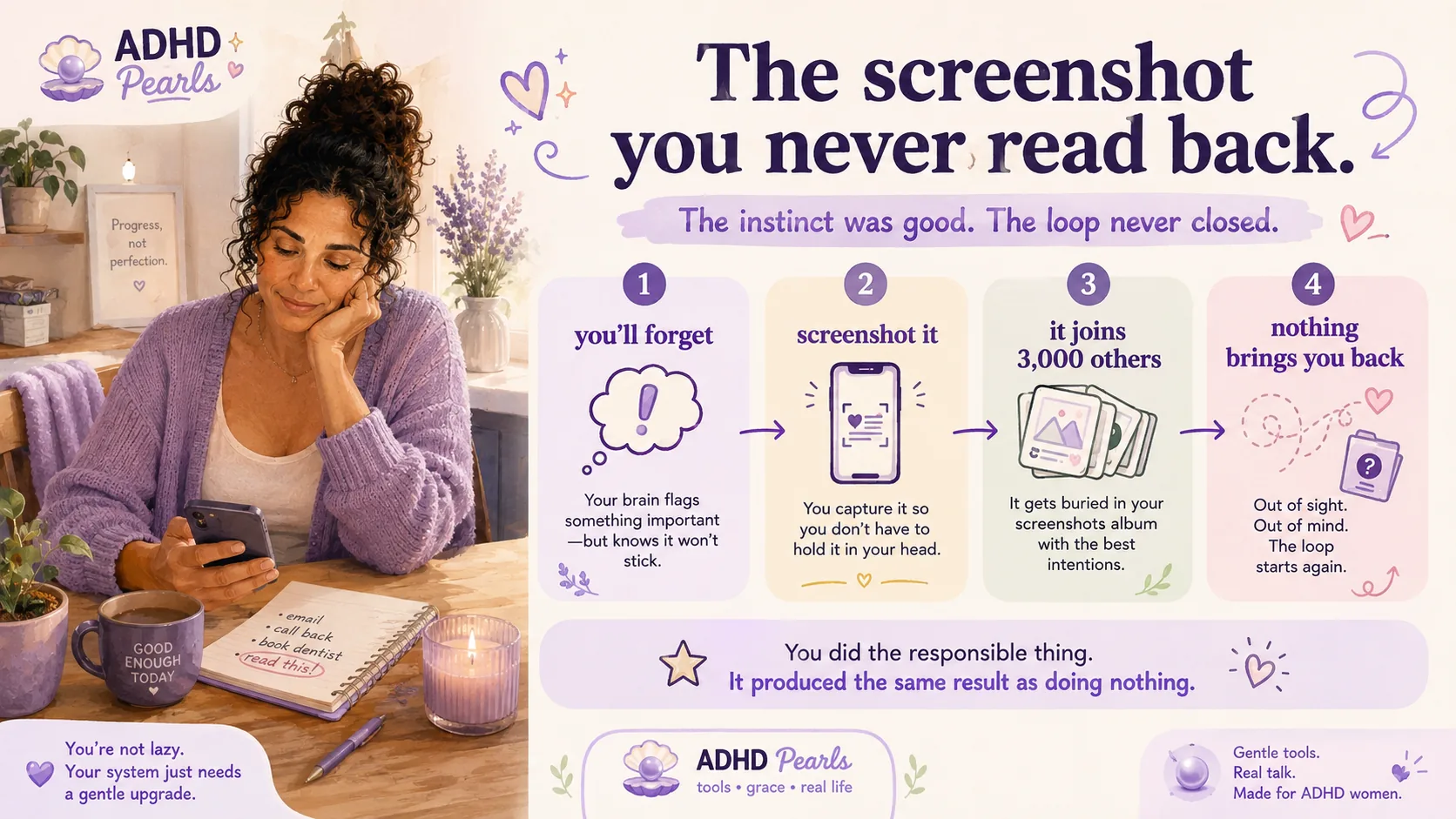
Watch what actually happens. You see something you need later - a booking reference, a recipe, a thing someone said, a form you must fill in. You know, from long experience, that you will not remember it. So you screenshot it.
That is a genuinely good instinct. You have offloaded the thing from a working memory you cannot trust onto a device that will keep it forever.
Then the screenshot joins three thousand others in an album nobody opens, and it becomes exactly as lost as the thought would have been. You did the responsible thing and it produced the same outcome as doing nothing.
You did not hoard. You externalised your memory into a place you never check.
The screenshot was not random. It was a memory strategy with a missing return loop.
Nothing about it is uncomfortable
Here is why it grows for years without intervention. A kitchen table full of paper is unpleasant to look at. You walk past it. Eventually the discomfort exceeds the effort of dealing with it, and something happens.
A phone with eleven thousand photos looks identical to a phone with two hundred. There is no pile, no smell, no visitor about to see it. The only feedback you ever get is storage full, usually at the worst possible moment, and the fastest fix is to delete four random things and carry on.
It is the same mechanism that loses food in a fridge drawer and clothes in a basket: out of sight really is out of mind. Your phone is just the version with no visible surface at all.
A phone with 11,000 photos looks the same from the outside as one with 200. That is why it stays invisible until something breaks.
Saving feels like doing
The third piece. Saving something gives a small hit of completion. The tab is open, the article is bookmarked, the app is downloaded - it feels like progress on the thing, when in fact it is progress on intending to do the thing.
I have downloaded four separate budgeting apps. I have opened one, once.
From ADHD Pearls
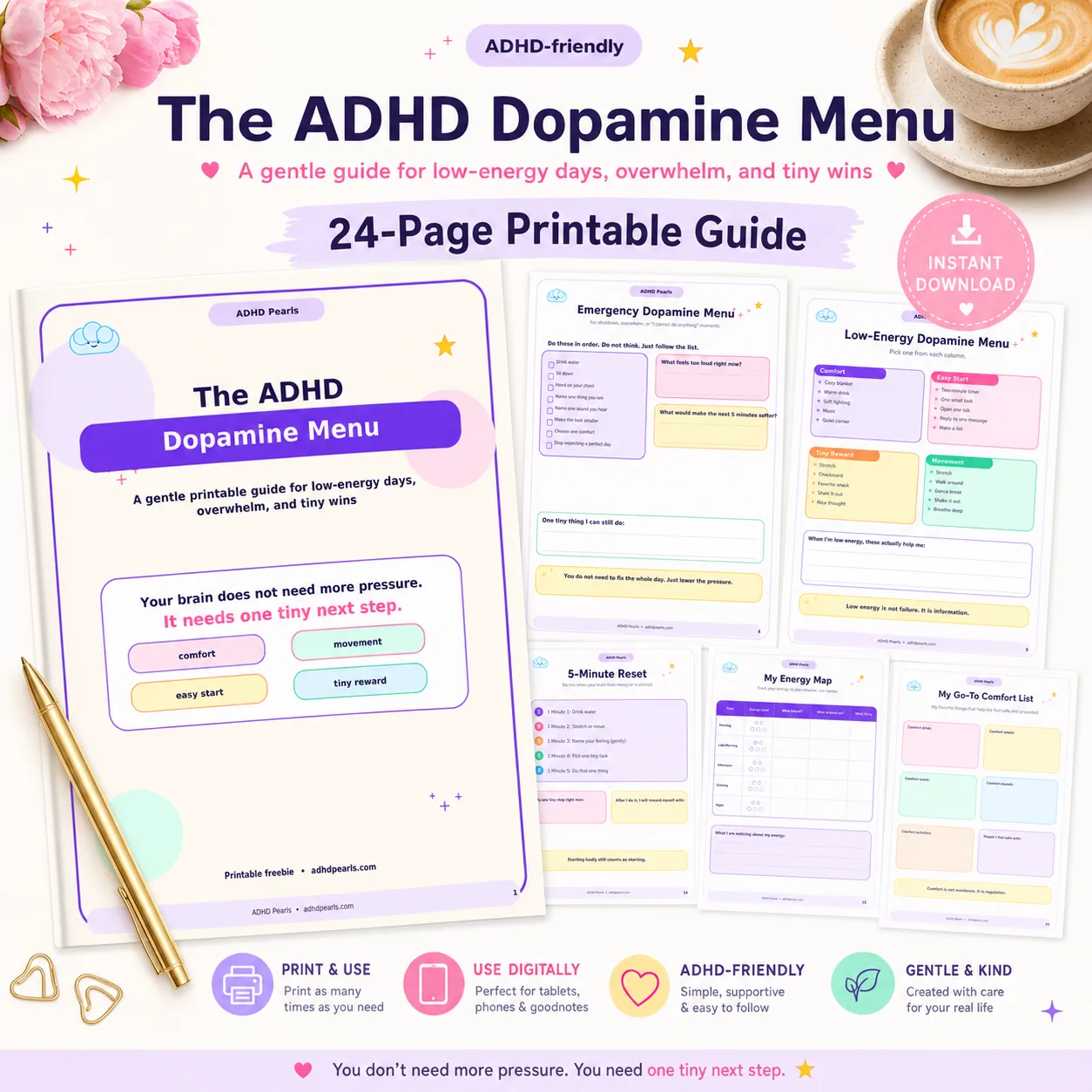
Free Dopamine Menu
24 tiny activities for low-energy, low-capacity days.
Researchers call this digital hoarding - accumulating files, photos and documents past the point where you can manage them, to the point of stress and disorganisation. It is studied seriously, mostly in students and general population samples, and it turns out to be common: reported rates run at a few per cent of the general population but around one in five among young people.
Two honest caveats, because this gets stretched online. Those figures describe a pathological level, not a messy camera roll. And none of that research is about ADHD specifically - nobody has run the study. What we do have is a documented behaviour, and a set of mechanisms behind it (poor recall, fear of losing information, out-of-sight-out-of-mind) that ADHD reliably makes stronger.
So: not a diagnosis, not a moral failing, and not something you invented. A known pattern that your particular brain is well set up to produce.
The Twenty-Minute Reset
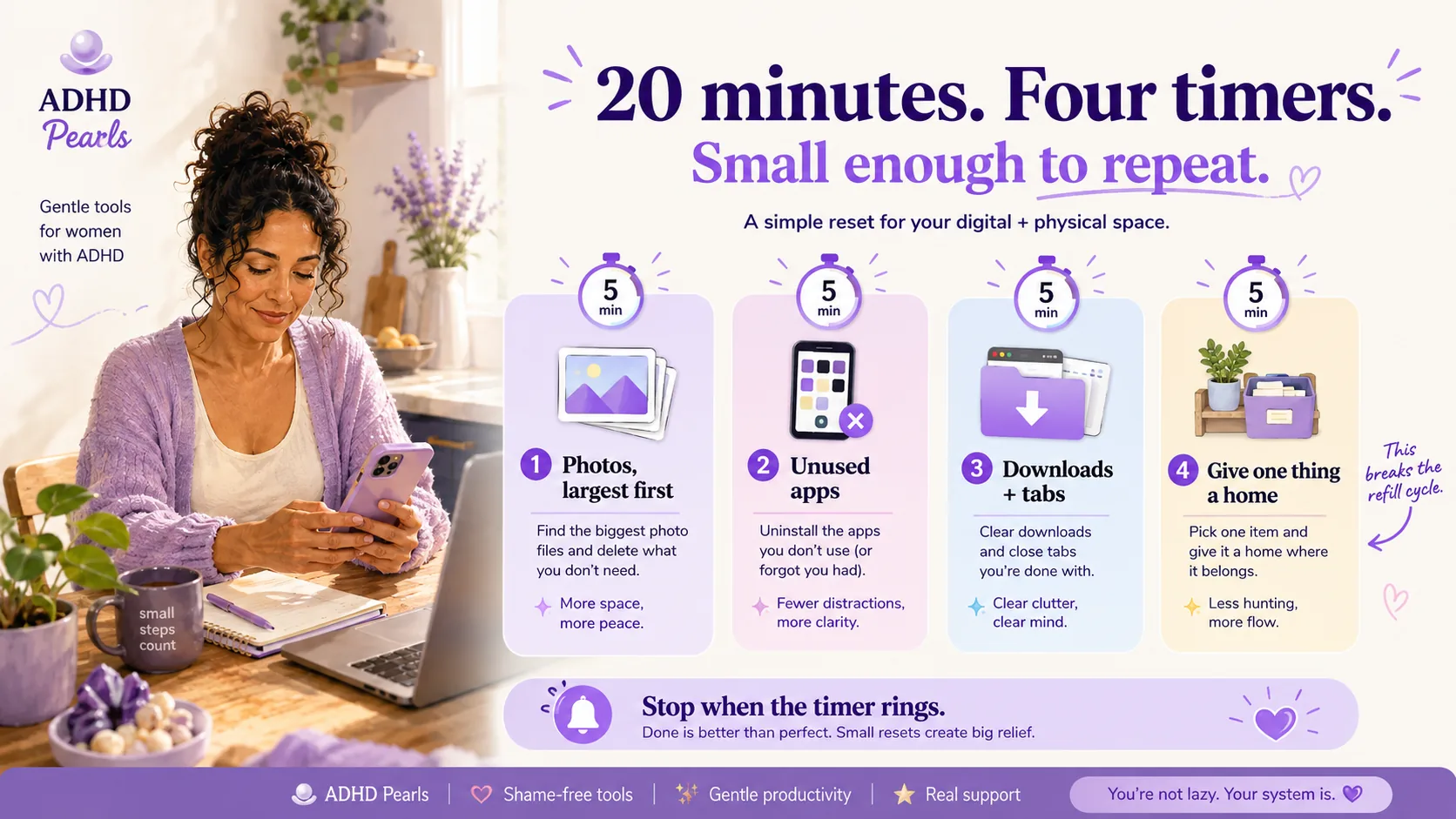
Four blocks of five minutes, timer on for each. Stop when it rings even if the block is not finished - especially then. The point is to make a dent you will repeat, not to finish.
Block 1 · Photos, largest first
Sort your photos by size or open the storage screen that shows what is actually taking space. Videos you never rewatched, screen recordings, and burst sequences of the same moment are where the gigabytes live. Delete the obvious ones without reviewing them individually.
Do not start at the beginning of your camera roll. That way lies an hour of looking at 2019 and no space recovered.
Block 2 · Apps you have not opened
Most phones will show you apps unused for months. Anything you have not opened since spring goes. If you need it again, it takes ninety seconds to reinstall and it will still have your account.
Subscriptions attached to apps are a separate and more expensive problem, and worth its own fifteen minutes - the subscription audit covers that.
Block 3 · Downloads and open tabs
The downloads folder is the drawer of the phone. Nobody opens it deliberately, everything ends up in it. Select all, delete, and accept that anything genuinely important is also somewhere else.
Tabs are the same. If you have ninety open, you are not going to read them. Close them all. The two that mattered will occur to you again within a week, and the rest were never going to happen.
Block 4 · Give one thing a home
This is the block people skip and the one that changes anything. Pick the single category you keep screenshotting - references, receipts, things to buy, appointment details - and make it one destination. A note pinned to the top of your notes app is enough.
Deleting alone just resets the clock. A destination is what stops the refill, which is the same reason the four-basket fix works on physical piles.
Four small blocks you will repeat beat one heroic cleanup you will never schedule.
The Screenshot Problem
Screenshots deserve their own section because they are the highest-volume, lowest-value thing on most ADHD phones, and because the fix is genuinely small.
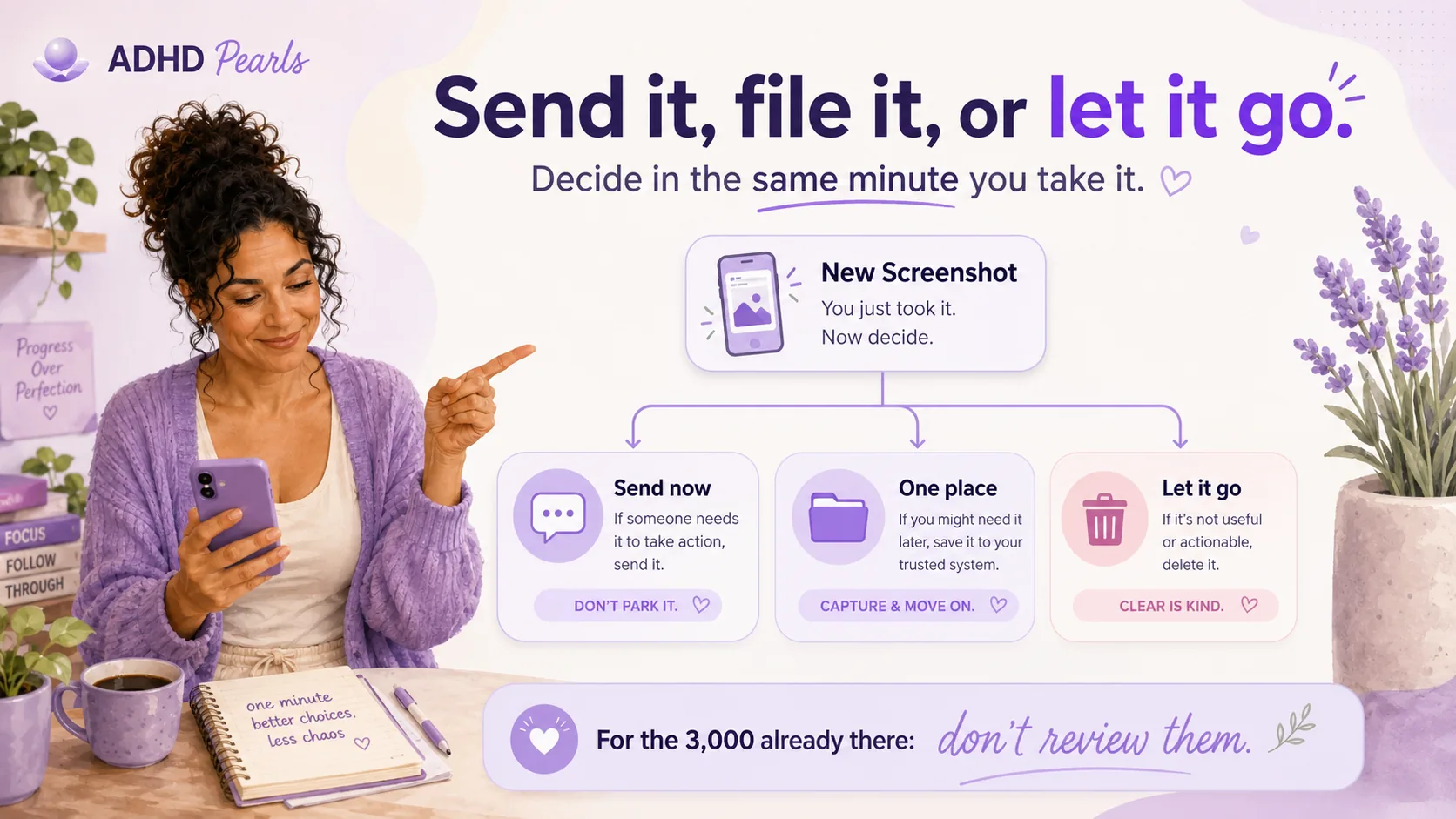
The rule: send it or file it in the same minute, or accept you are never opening it.
In practice that means one of three things, decided at the moment you take it:
Send it now. To the person, to the group chat, to yourself in an email. The screenshot then lives somewhere with a search box and a context.
Put it in the one place. The destination from block four. Two taps.
Take it anyway and let it go. Sometimes the act of screenshotting is how you finish processing a thought, and the file itself is disposable. That is fine, as long as you know that is what you are doing.
For the three thousand already there: do not review them. Search your photos for "screenshot", sort by oldest, and delete everything more than six months old without opening it. Whatever was urgent in February has resolved itself one way or another.
Decide what happens to the screenshot when you take it, not six months later.
What Not to Delete
This is not a digital detox and I am not going to tell you to get a dumbphone.
Protect, without negotiation:
Photos of people. All of them. Duplicates included. Storage is cheap and grief is not.
Anything documenting something official. Receipts you might need, medical letters, confirmation numbers for things not yet resolved.
The apps you actually use every day, even the ones you feel you should use less. That is a different conversation, and it is covered in the phone hacks piece.
The aim is a phone where you can find things, not a minimal one. Nobody has ever been helped by feeling ashamed of their camera roll.
Keeping It From Refilling
A twenty-minute reset buys you a few months. What keeps it from coming back is much smaller than the reset was.
Sixty seconds, last twenty-four hours. Once a day, ideally attached to something you already do, open your photos and look only at what arrived today. Delete the screenshots you have already dealt with. It takes under a minute because there are rarely more than a handful.
This works for the same reason a daily kitchen wipe works and a monthly deep clean does not: you are handling a day's worth, not a year's.
And on the days you have nothing, skip it. A day missed costs you a minute tomorrow, which is the whole point of doing it at this size - it survives low-energy days instead of collapsing on them.
This article is educational and is not medical advice. Hoarding disorder is a recognised clinical condition and distress about accumulating things - digital or physical - to the point where it affects your daily life is worth discussing with a qualified professional rather than managing alone.
FAQ: ADHD and Digital Clutter
Why is my phone always full?
Usually photos and video rather than apps, and usually because nothing ever prompts you to review them. Digital mess takes up no visible space, so it never creates the discomfort that makes you deal with a physical pile. The only signal you get is a storage warning, which arrives at a moment when you have no time to act on it.
Why do I take so many screenshots?
Because you know you will not remember, so you offload it to the phone. The instinct is sound. What breaks is the second half - nothing brings you back to read them, so the screenshot ends up as lost as the thought would have been.
Is digital hoarding a real thing?
Yes, it is a studied behaviour: accumulating files past the point of being manageable, to the point of stress. Research reports it in a few per cent of the general population and around one in five young people. Those figures describe a pathological level rather than a full camera roll, and the research is not ADHD-specific.
How long should decluttering my phone take?
Twenty minutes, in four five-minute blocks, with a timer. Stopping when it rings matters more than finishing, because a session you can repeat is worth more than one heroic afternoon you will never schedule again.
What should I delete first?
Whatever is largest. Sort photos by size or open the storage breakdown - videos, screen recordings and burst sequences hold most of the space. Starting at the oldest photo instead means an hour of nostalgia and no space recovered.
What do I do with thousands of old screenshots?
Do not review them. Search your photos for screenshots, sort oldest first, and delete anything over six months old without opening it. Whatever was urgent then has already resolved itself.
Should I delete apps I might need again?
If you have not opened it in months, yes. Reinstalling takes about ninety seconds and your account will still be there. The exception is anything holding data that only exists inside that app, which is worth checking before you remove it.
How do I stop it filling up again?
One minute a day, looking only at the last twenty-four hours, attached to something you already do. Handling a day's worth is trivial; handling a year's worth is the reason it got to this point.
Is this the same as a digital detox?
No. A detox is about using your phone less. This is about being able to find things on it. You can do this and keep every app you love, and the two goals are unrelated.
Save this for the next time your phone is full of things you meant to come back to.
I did the twenty minutes. I got back eleven gigabytes, most of it from videos of a hedge I have no memory of filming. The screenshots are down to about four hundred, which is not zero and is not the point. I can find things now, and I photographed the next birthday without incident.
Found this helpful? Share it with someone who gets stuck too.
One tap makes ADHD Pearls a preferred source in your Google account, so our articles surface higher when you search. No signup, and it brings you straight back to this page.
Before you go
Free Dopamine Menu
24 tiny activities for low-energy, low-capacity days.
For the woman who sets up the perfect system on Sunday and abandons it by Tuesday.
One short letter, every week. Real talk about ADHD, task paralysis, and the tiny wins that actually move the needle for a brain like yours. No shame. No hustle culture.