An ADHD-friendly reset app
Starting feels big? Go tinyish.
A small browser app for the moment you cannot begin. Pick what feels hard, get one doable step, try two minutes. No account, no subscription, no streak to protect.
Instant access · One payment · 14-day refund
Eighty-five seconds of Tinyish actually being used, starting from Home. No talking — there is no sound.
What you get for $17
The app, the guide, and no second payment.
Everything included
- Lifetime access to the Tinyish web app, on every device you use
- Six small tools: first step, low-energy day, should shredder, idea parking, goal filter, jar
- A flexible focus timer, from two minutes to twenty-five
- A seven-page PDF guide: quick start, Home Screen setup, backup and data safety
- An offline copy, so it works with no connection
- Free updates to the app, with no second purchase
This is for you if…
- You know exactly what to do and still cannot start it
- Your to-do app has become another thing you are behind on
- A broken streak makes you abandon the whole system
- Some days you have nothing, and every tool assumes you do
- You would rather not hand your private notes to a server
- You have paid for enough subscriptions you forgot to cancel
If you have used the free one
The free tool gets you through today. This is the one you keep.
Our ADHD Stuck Reset is free, and it stays free. It walks you out of one stuck moment and then forgets you — close the tab and nothing is saved. That is the right size for a one-off.
Tinyish is what you install. It remembers the step you were on so you can come back to it tomorrow, adds five more tools for the days that are not about starting — the low-energy floor, the jar, the parking lot, the goal filter, the should shredder — works with no connection, and lives on your home screen instead of in a bookmark you will not find again.
If the free one is already enough for you, use the free one. We would rather you kept your $17 than bought something you do not need.
How it works
From “I can't start” to started, in four moves.
No setup, no projects, no importing your life into it first.
Say what feels hard
Pick the kind of task — a message, paperwork, tidying, reading — or write your own words.
Take the step it offers
One prepared action appears. Edit it until it actually fits what you are avoiding.
Try two minutes
The timer starts with your step on screen. Stop whenever. A short attempt still counts.
Adjust instead of pushing
Still stuck pauses everything and offers a smaller step, clearer wording, or a smaller day.
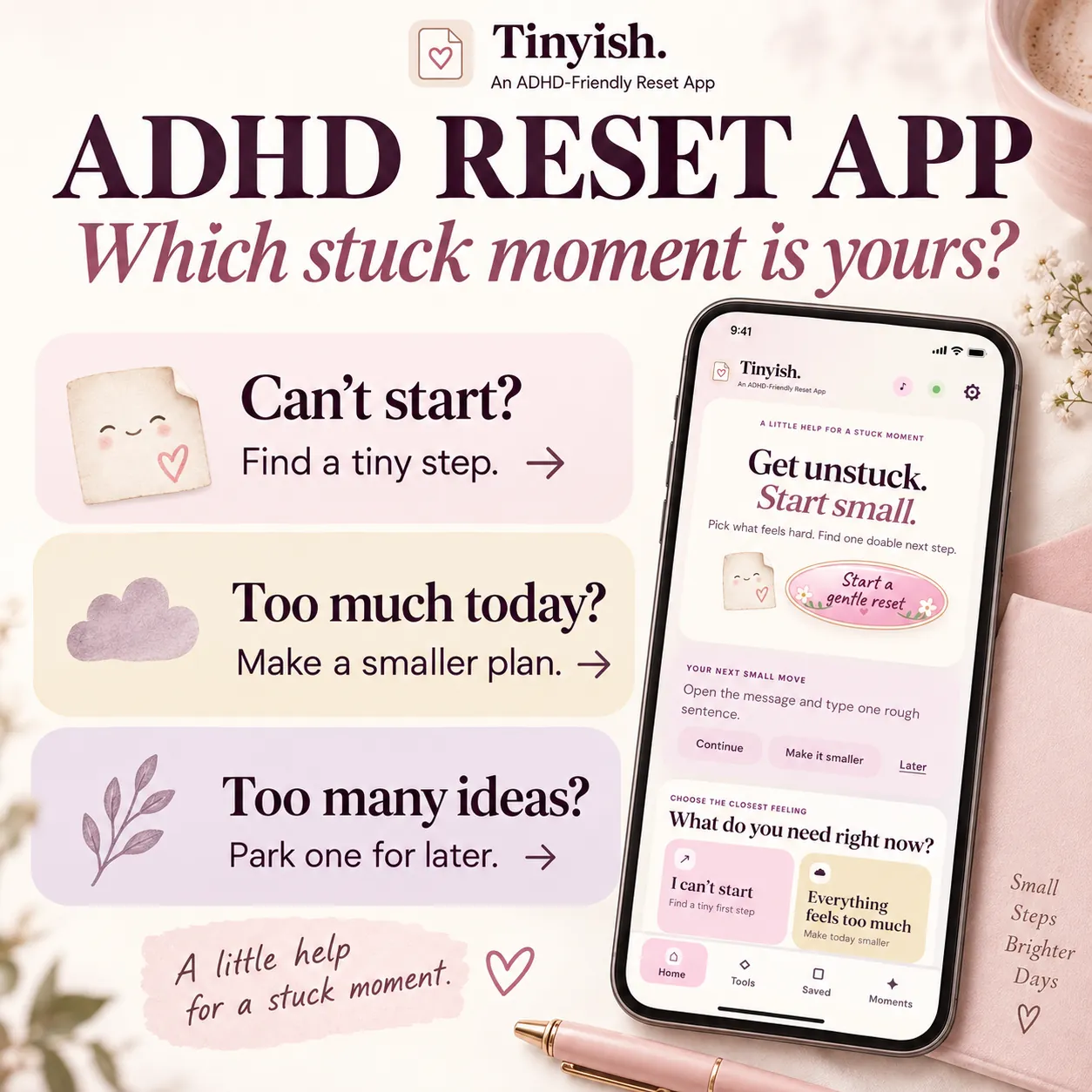
Start where you are
Four doors, not a blank page.
Most tools open on an empty list and wait for you to organise yourself first — which is the exact thing you cannot do right now. Tinyish opens on one question and four common stuck moments. You pick the nearest one and something is already offered.
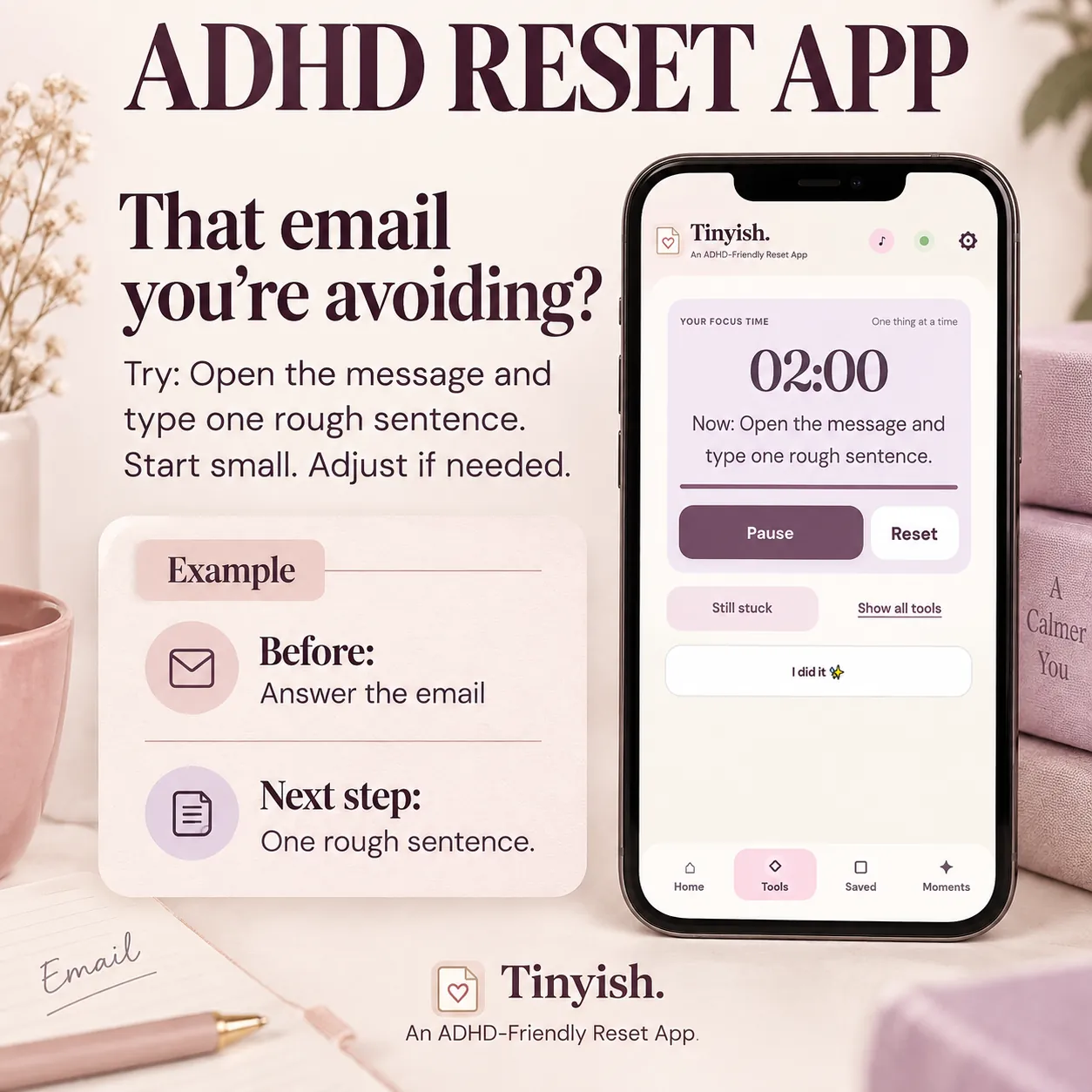
One small step
Two minutes is a place to start.
The suggested action is deliberately smaller than the task — “open the message and type one rough sentence,” not “answer the email.” You edit it into your own words, set a length you believe in, and the step stays on screen next to the timer so you never lose track of what you agreed to do. Still too big? One button walks it down to something smaller, and the timer pauses while you decide.
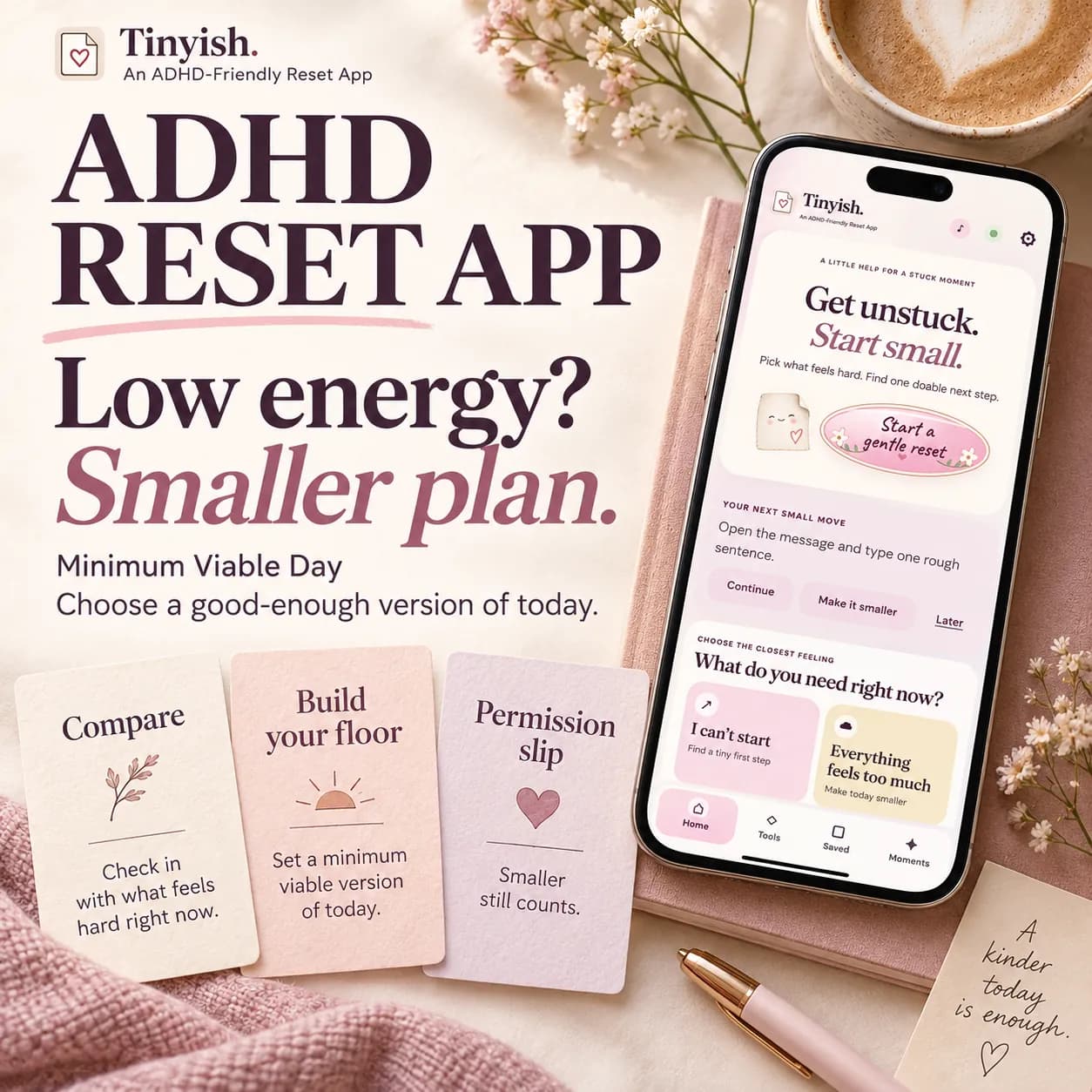
Low-energy days
Your floor is not a failure.
Minimum Viable Day is for the days when the plan was never going to happen. You write down the version you normally expect of yourself, then build a smaller floor next to it — two or three anchors that genuinely help — and keep it for next time. The gap between the two stops being invisible.
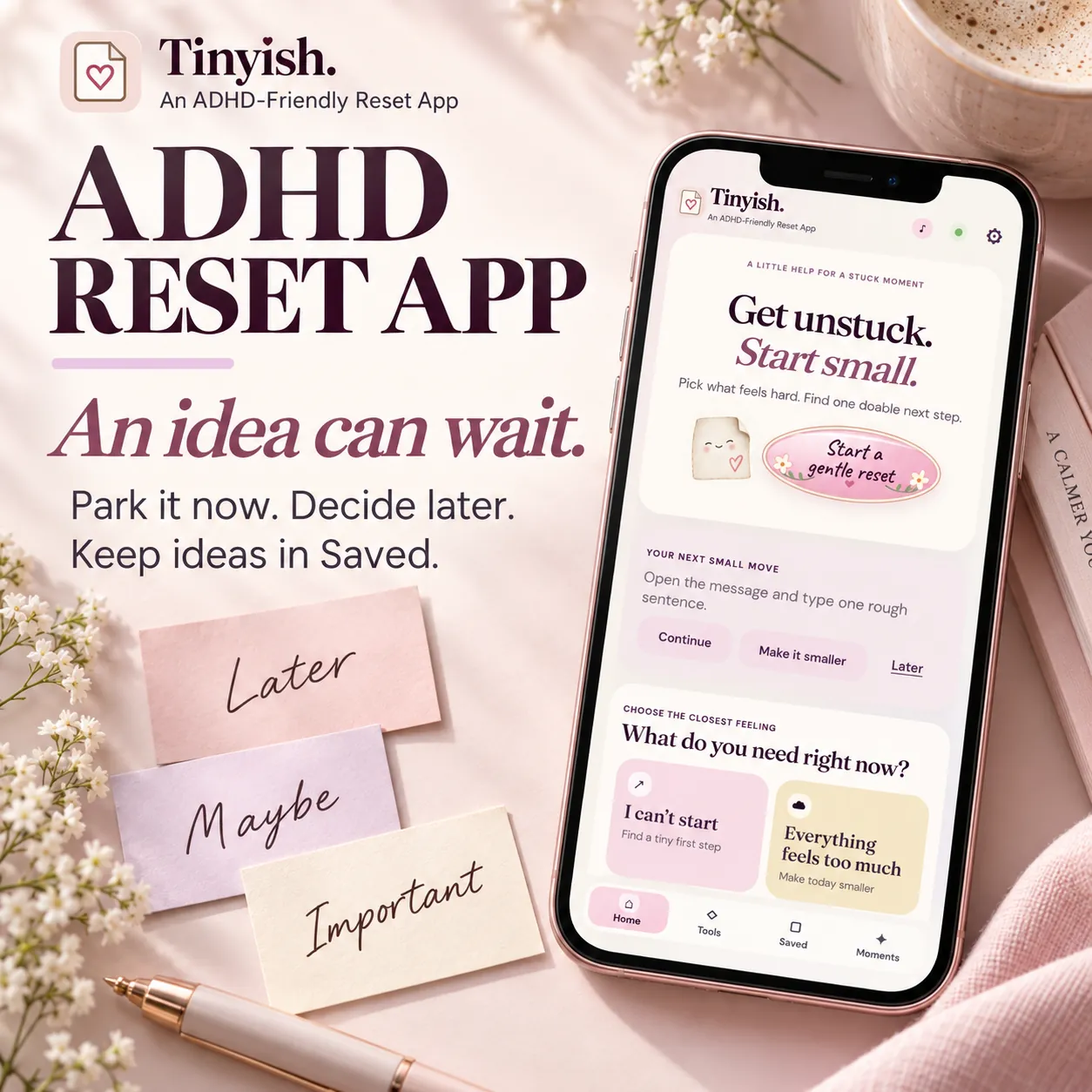
Too many things open
An idea can wait.
The new idea that arrives mid-task is not a discipline problem, it is just badly timed. Park it in one tap, finish the thing you were doing, and find it again in Saved when you actually have room for it.
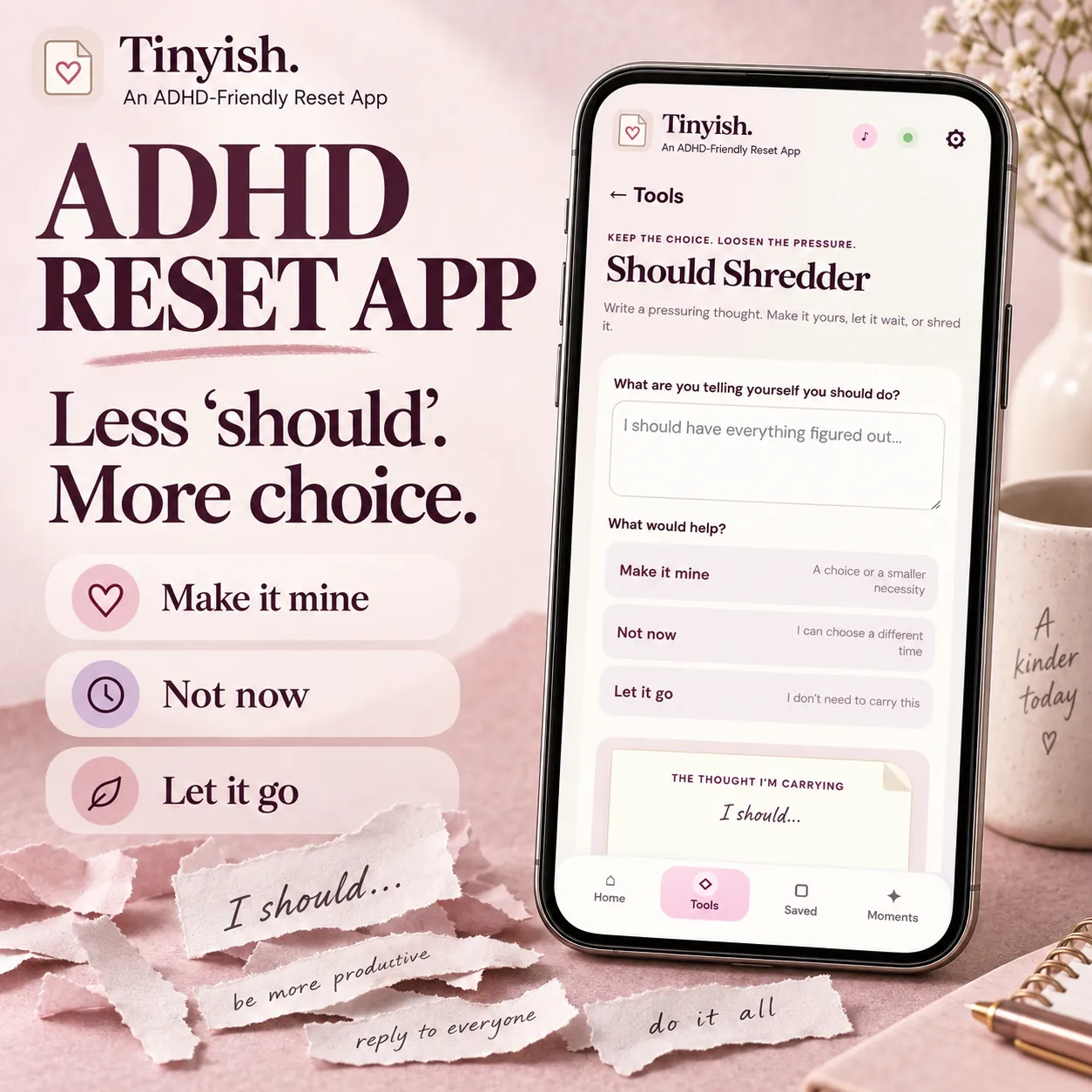
The voice in your head
Less ‘should’. More choice.
Write down the thought that is pressuring you — I should have everything figured out — and then decide what to do with it on purpose: make it yours, leave it for later, or let it go. A should you have examined stops running in the background.
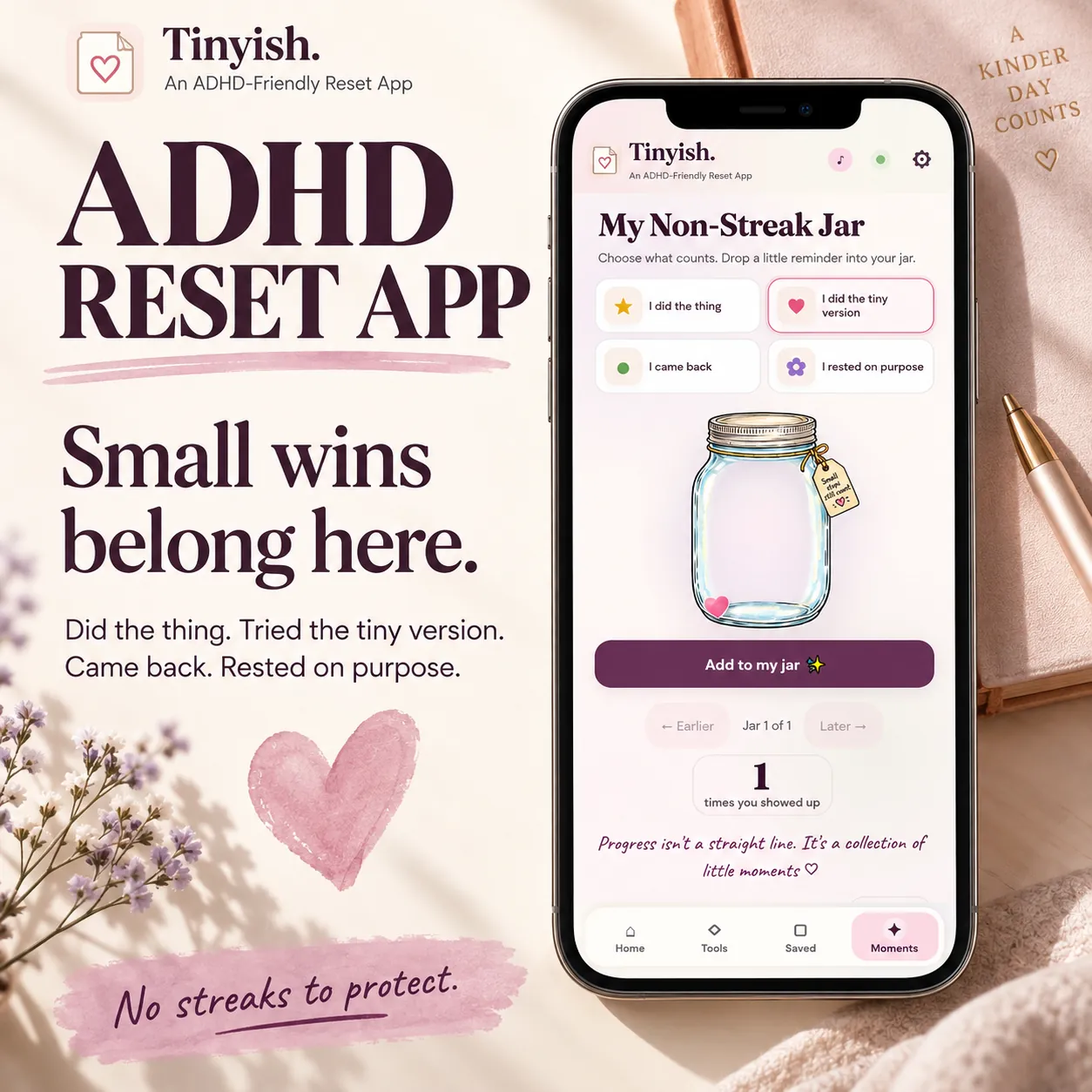
Progress without streaks
Marks you give yourself.
A streak is a debt you can default on. The jar has no counter, no calendar and no automatic points — you add a mark because you decided the moment counted, and there are four kinds: you did it, you did the tiny version, you came back, or you rested on purpose. Skip a month and it is exactly where you left it.
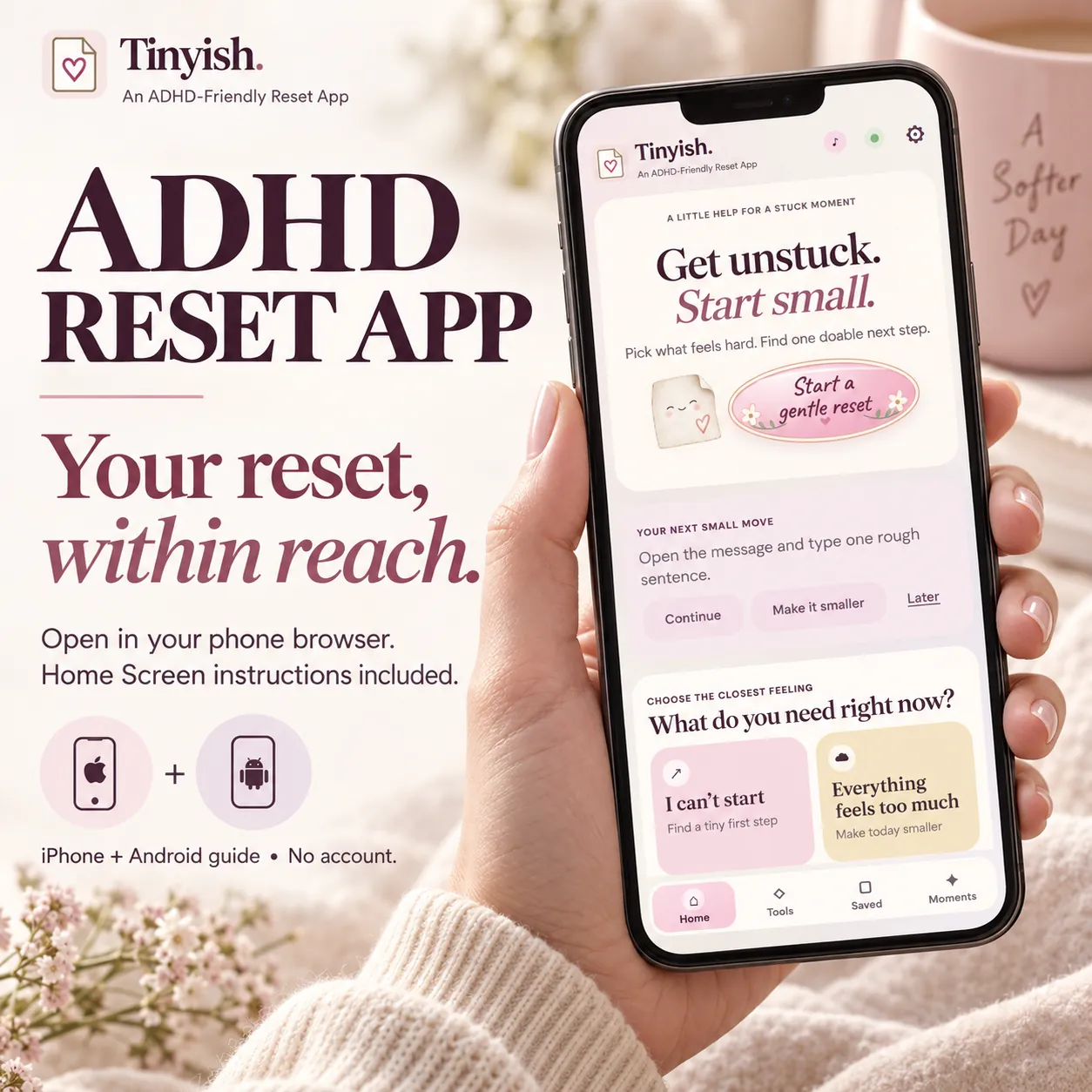
On your phone
One tap from your home screen.
It is a web app, so there is nothing to install and no store to go through. Open it once in Safari or Chrome, add it to your home screen, and it opens with its own icon like anything else. Every screen was built for small phones rather than shrunk down from a desktop.
Not a mockup — the real flow
Try it right here, before you decide.
These are the actual prompts from inside the app. Nothing is saved and nothing is sent anywhere.
What kind of thing are you avoiding?
Pick the closest one. You can change the step it gives you.
Why this one is different
Most ADHD apps need you to keep showing up.
Tinyish is built to be forgotten between uses, and to still be there when you come back.
| Typical ADHD app | Tinyish | |
|---|---|---|
| What you pay | $8 a month, or about $80 a year | $17, once |
| Account | Sign up, confirm, log in | None. Open the link and use it |
| Your entries | On someone's server | In your own browser only |
| If you skip a week | A broken streak to repair | Nothing to catch up on |
| AI reading your tasks | Increasingly, yes | No. Prepared prompts you edit yourself |
| Offline | Usually needs a connection | Works after the first load |
The left column describes the common subscription pattern in this category — at the time of writing, Tiimo is $7.99 a month or $79.99 a year, and Focusmate is around $8 a month. Prices change; check them yourself. Some people are genuinely better served by those apps, and by a spreadsheet they built themselves. This compares business models, not a claim that Tinyish works better for you.
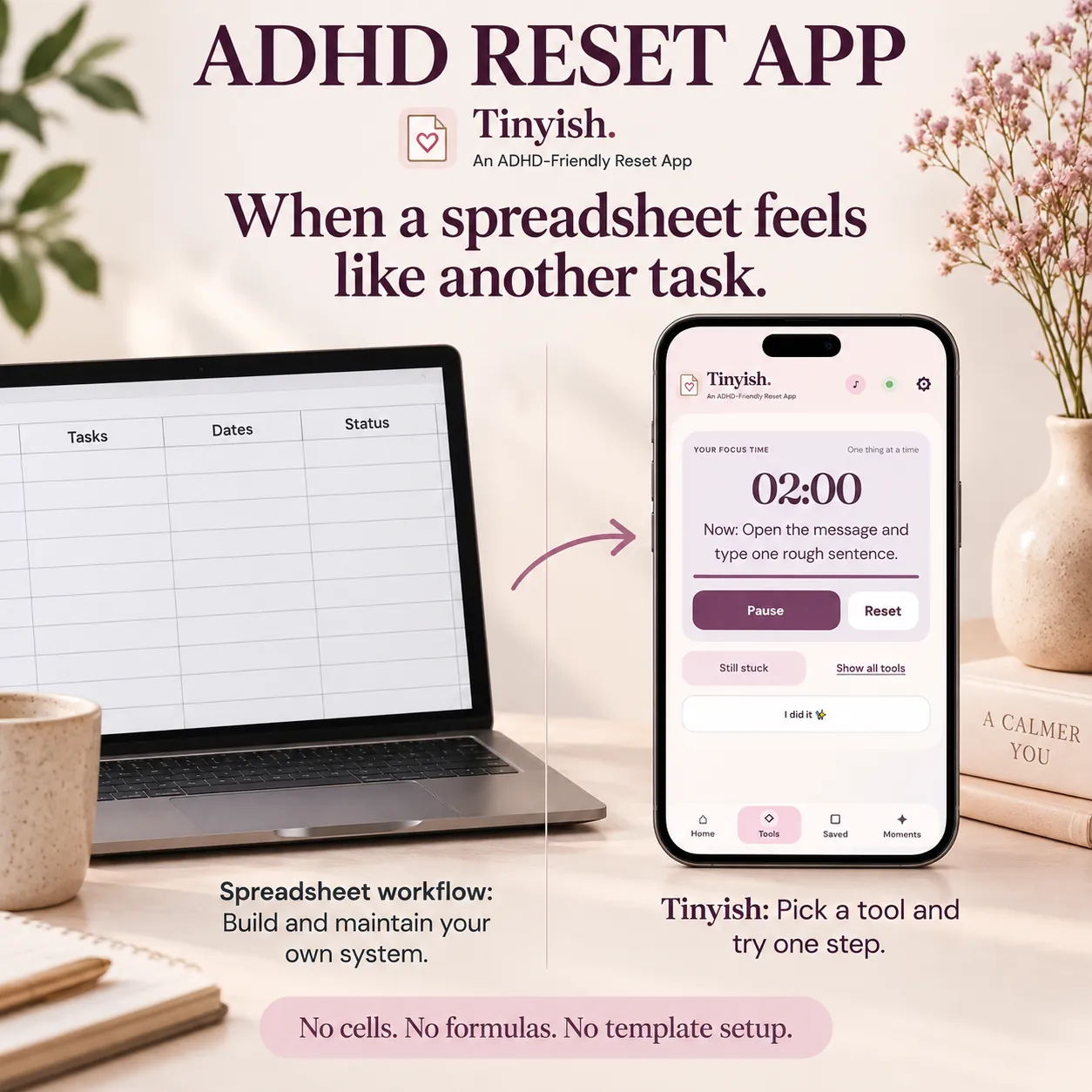
Or a spreadsheet
When a spreadsheet feels like another task.
A tracker you build yourself is a real option, and for some people it is the better one. It is also a system you now have to maintain \u2014 cells, formulas, a template that needs tending on exactly the days you have least to give. Tinyish has nothing to set up. You open it and pick a tool.
What is inside
Six small tools and a seven-page guide.
Use one. Ignore the rest. That is the intended way to use it.
Roll for Initiative
Six starting suggestions and a focus timer you set yourself. The roll is an invitation, not an obligation.
Minimum Viable Day
Choose a good-enough floor for a low-energy day, save it, and reuse the few anchors that actually help.
Should Shredder
Write down a pressuring thought and decide, deliberately, whether to keep it, delay it, or let it go.
Shiny Object Parking Lot
Park the idea that just arrived so you can finish the thing you were doing. Find it again in Saved.
Goal Filter
Take a goal you have been carrying and decide whether to keep it, shrink it, park it, or drop it.
Non-Streak Jar
Mark a moment because you decided it counted. Nothing is awarded automatically, and nothing resets.
Read this before you buy
What Tinyish does not do.
You have been sold enough productivity tools that promised a different brain. Here is the honest edge of this one.
- It does not break your task down with AI. The suggestions are written in advance and grouped by task type. You edit them into your own words. Nothing reads or interprets what you typed.
- It does not sync. Your entries live in the browser you used. Moving to another device or browser means exporting a backup file and restoring it there. The guide walks you through it.
- It cannot reliably alert you in the background. Browsers suspend pages behind a lock screen. When an exact alarm matters, use your phone's alarm.
- It has not been tested in a study. The mechanisms it offers — smaller steps, shorter intervals, timers — are ones ADHD organisations commonly suggest. Whether this particular app helps you is still an open question, and a $17 one.
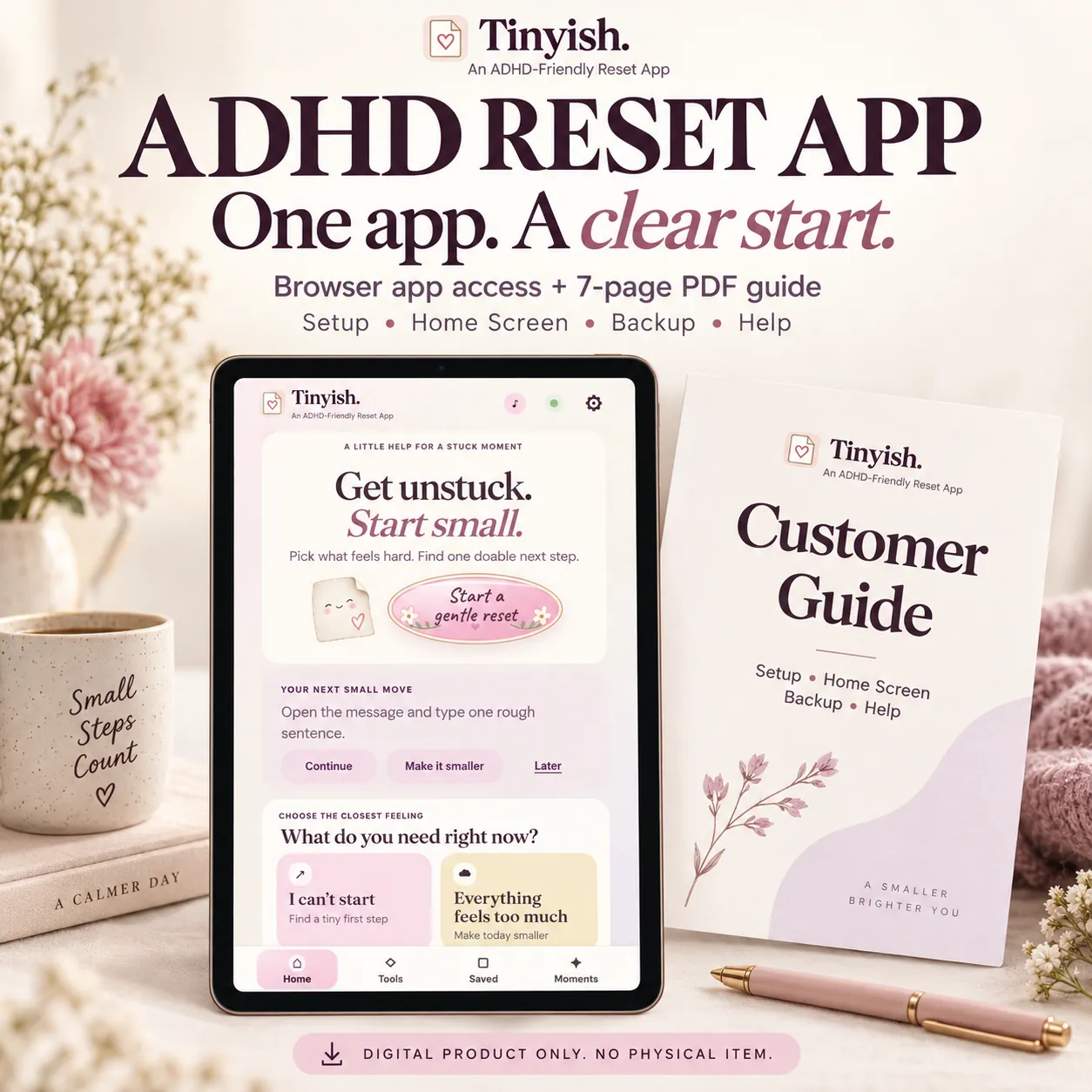
Digital product only. Nothing is posted to you.
One payment
Buy it once. Open it whenever.
$17
one time · lifetime access · no renewal
About two months of a typical ADHD app subscription, and then it stops costing anything.
- Lifetime access to the Tinyish web app, on every device you use
- Six small tools: first step, low-energy day, should shredder, idea parking, goal filter, jar
- A flexible focus timer, from two minutes to twenty-five
- A seven-page PDF guide: quick start, Home Screen setup, backup and data safety
- An offline copy, so it works with no connection
Payments are securely processed by Stripe. We never see or store your card details.
If it does not fit, say so. Email within 14 days and you get your money back, with no explanation required and nothing to return. A tool for hard days should not also be a thing you regret buying.
Before you start
Simple questions, plain answers.
You have a free stuck tool. Why would I pay for this?+
Because they do different amounts of work. The free ADHD Stuck Reset gets you through one moment and then forgets you — nothing is saved, and when you close the tab it is gone. Tinyish is the one you keep: it remembers the step you were on, adds five more tools for the days that are not about starting, works offline, and sits on your home screen. If the free one is enough, genuinely use the free one.
Is this an App Store app?+
No. It is a web app. You open a link in Safari, Chrome or Edge, and you can add an icon to your Home Screen so it opens like an app. The guide has the exact steps for iPhone and Android.
Do I need an account?+
No. There is nothing to sign up for and no password. You open it and use it.
Where does my writing go?+
Into your own browser's storage on that device. There is no server copy, which also means nobody — including us — can recover it for you. Export a backup from Settings before changing device or browser.
Will it work on my phone?+
Yes, in the phone's browser, and it was checked down to 320 pixels wide. Add it to your Home Screen for one-tap access.
Does it use AI?+
No. The suggestions are written in advance and sorted by task type. Nothing analyses your task, and nothing you type is sent anywhere.
What if I stop using it for a month?+
Nothing happens. There is no streak, no missed day and no notification asking where you have been. Your saved things are waiting.
Is it a subscription?+
No. One payment. Updates to the app are included, and there is nothing to cancel.
The task is still there. Make the first move smaller.
Two minutes from now, something could be started.
One payment · 14-day refund · No account needed
Already bought it? Open your app
Everyday support, not medical care. Tinyish offers planning and reflection prompts. It does not diagnose or treat ADHD and is not a substitute for professional care. If you are struggling, a clinician is the right place to start.