Rhubarb · meal planning app for your browser
Meal planning,minus theplanning.
Rhubarb is a meal planner and grocery list that runs in your browser — on your phone and your laptop, nothing to install. Pick a few dinners and the grocery list writes itself.
- Runs in Safari or Chrome
- Phone + laptop, same list
- No App Store, nothing to install
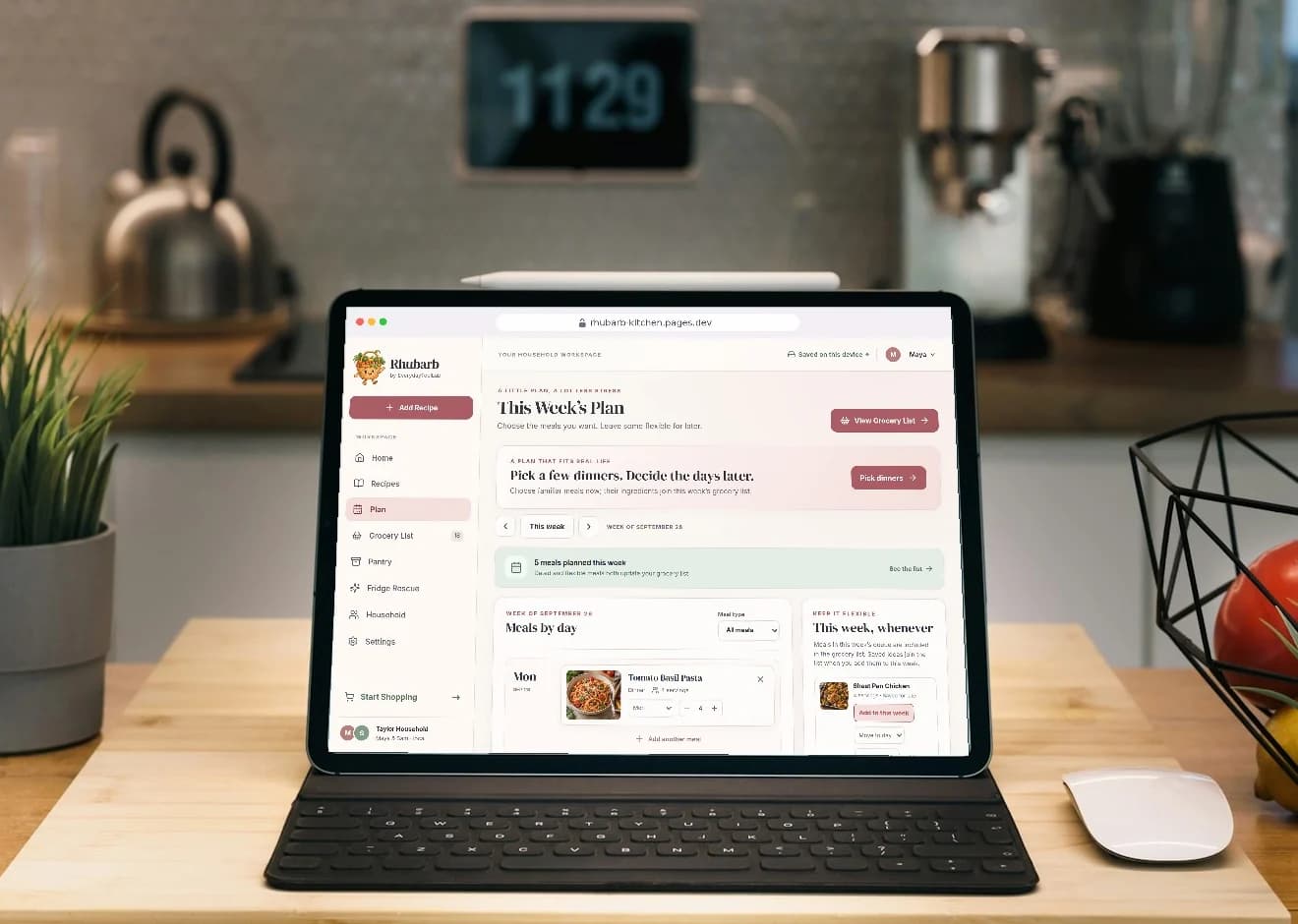
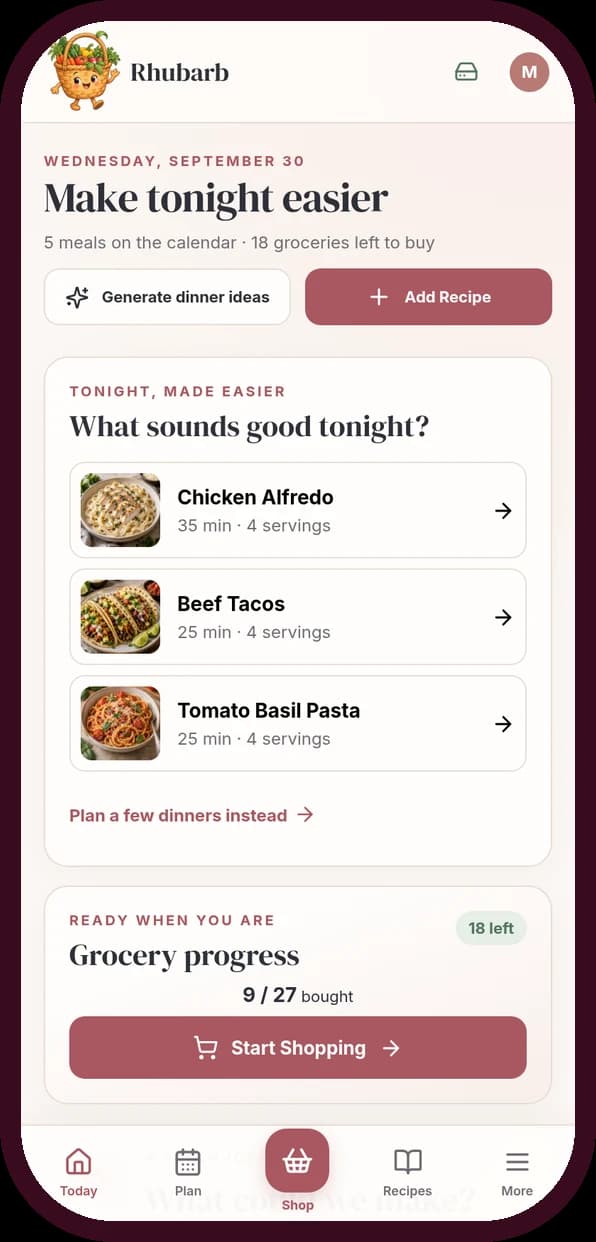
No seven-day grid
Pick three dinners you would actually eat. Give them a day only if you know it.
A list that writes itself
Merged, scaled, minus the pantry, and grouped in the order you walk the store.
One list for the house
Whoever you live with sees the same list on their own phone, live.
Try it — nothing to sign up for
Pick dinners. Watch the list build.
Tap a few dinners, say how many you cook for and what is already at home. The list merges the same ingredients, scales the amounts and sorts everything by aisle — the same way the app does it with your own recipes.
- Same ingredient in two dinners? Listed once, added up
- Already at home? Taken off first
- Cooking for six? Every amount scales
You pick
3 of 6 dinners
Cooking for
Already at home
You buy
12things
in 6 aisles
2 skipped · at home
Produce
- Bell peppers3
- Onions2 dinners2
- Basil1 bunch
Meat & Fish
- Chicken breast500 g
Dairy & Eggs
- Sour cream1 tub
- Parmesan50 g
- Eggs4
Bakery
- Tortillas8
Pantry
- Pasta400 g
- Canned tomatoes2 cans
- Rice300 g
Frozen
- Frozen peas200 g
A demo with six dinners. In the app it runs on your own recipes and pantry.

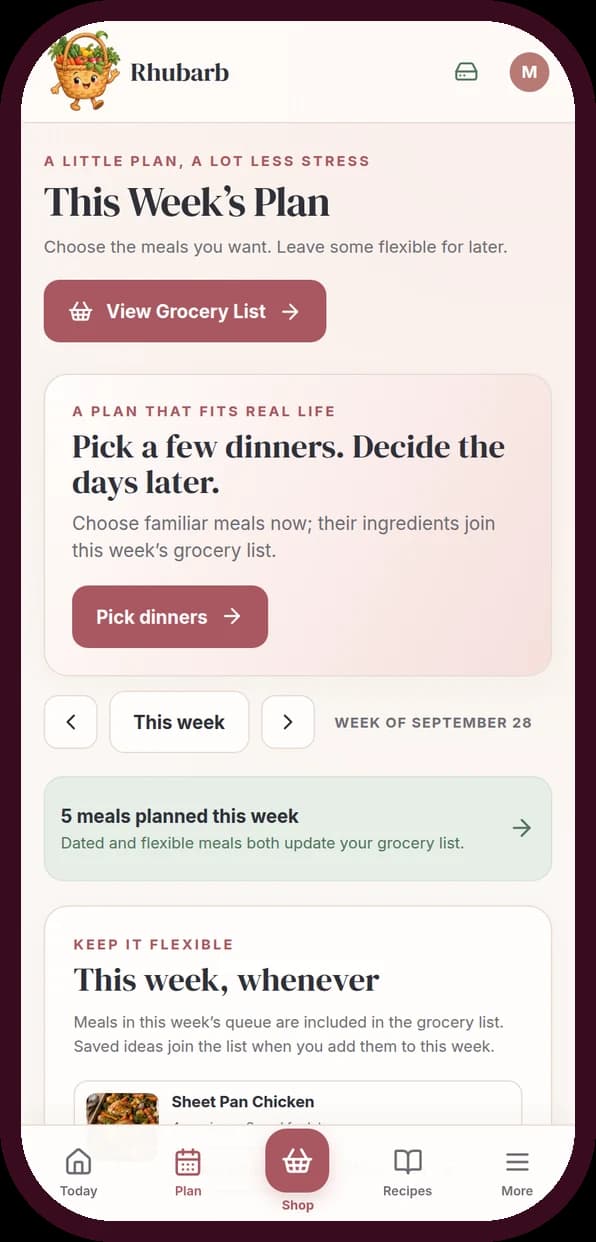
Plan
Pick a few dinners. Decide the days later.
Most planners open on an empty week and wait for you to fill Monday to Sunday — the exact decision that makes the plan collapse by Wednesday. Rhubarb asks for a few dinners. They count toward the list straight away. Last week worked? Copy it in a tap.
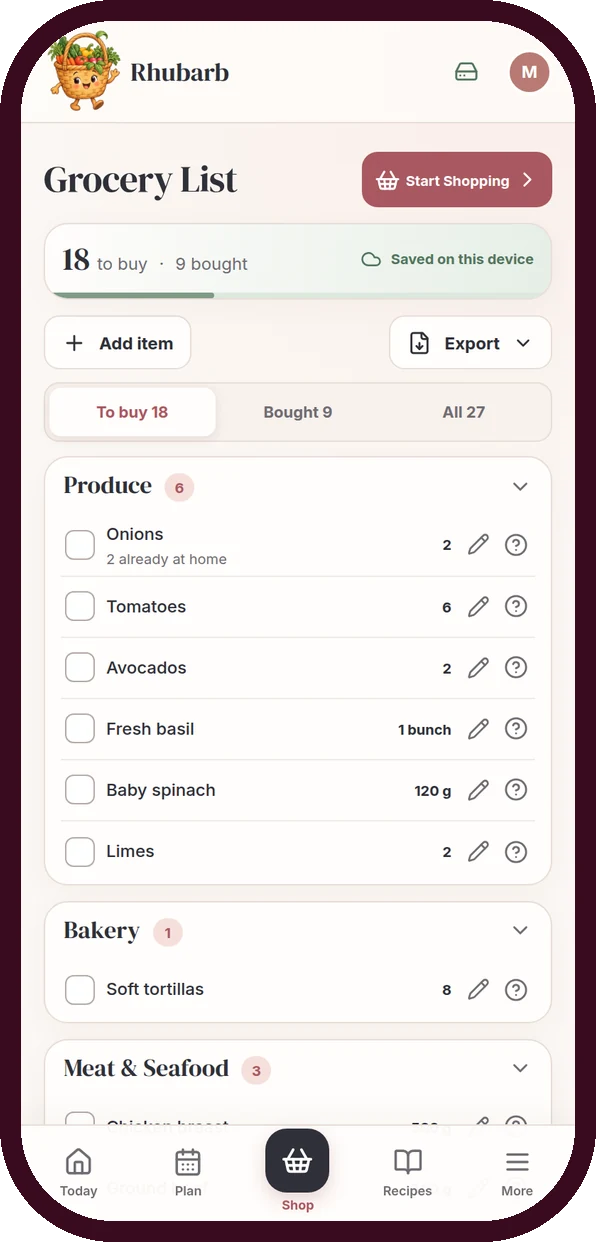
Grocery list
The list writes itself — minus what's in the fridge.
Two dinners want onions? It says onions once, with the total. What is already in the fridge or pantry comes off, and the line tells you why. You can reorder the aisles to match your own store, so you stop doubling back to produce.

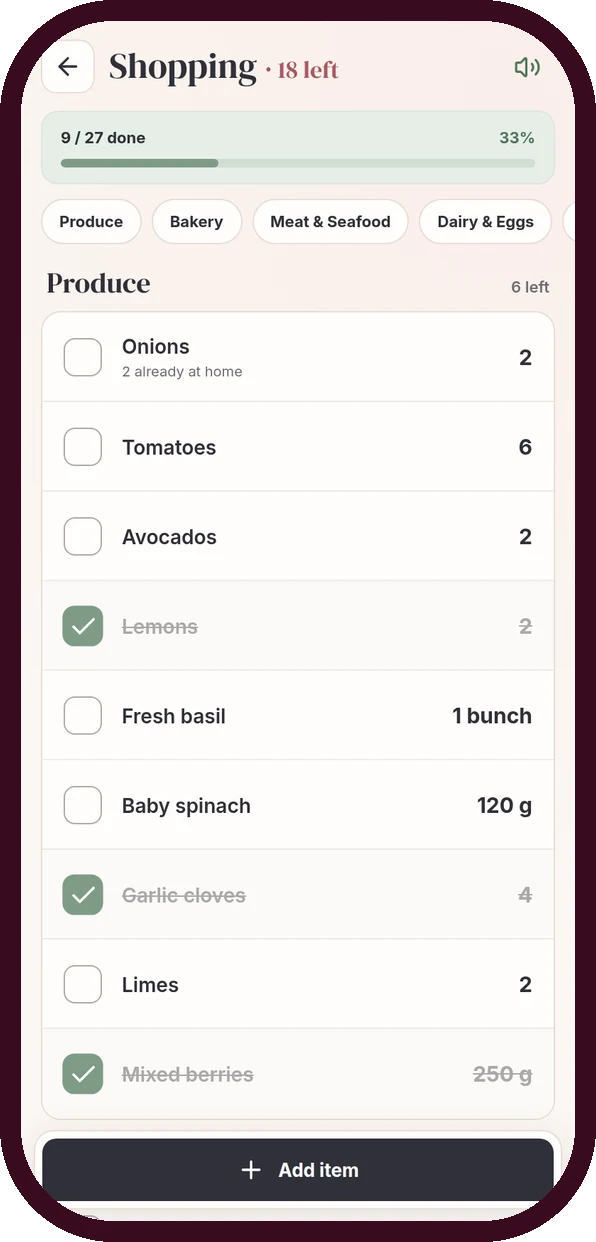
Shopping mode
Shop in the order you walk.
Shopping mode is the list and nothing else: big tick boxes, aisle by aisle, with progress at the top. The list you opened stays on screen if the signal drops between the shelves.

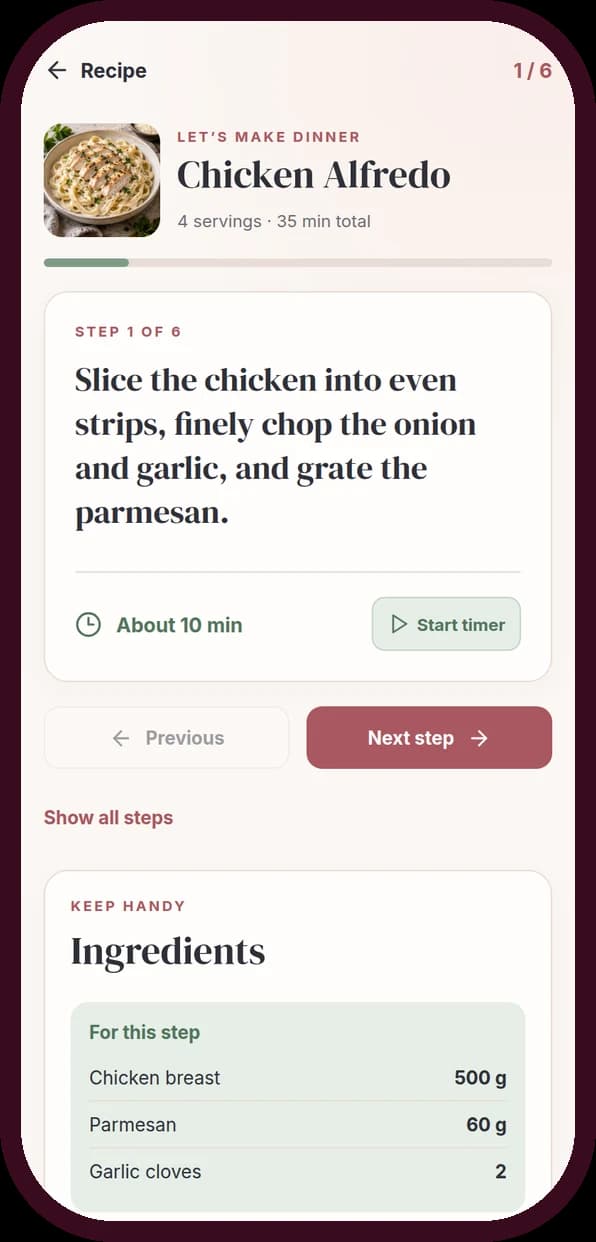
Cook mode
Cook one step at a time.
Recipes read like walls of text exactly when your hands are busy. Cook mode shows one step, how long it takes, a timer you can start, and only the ingredients that step needs. Any recipe saves as a one-page PDF card.

Shared kitchen
One kitchen, two phones.
Invite the person you live with. You both edit the same recipes, plan, pantry and list from your own phones — tick the milk in the store and it disappears on theirs. Nobody carries the whole list in their head alone.
The list writes itself. You just pick dinner.
Three dinners drop into the week, and every ingredient finds its aisle on its own. You never copy a recipe onto a list again.
- Ingredients merge across dinners
- Units add up — 500 g and 1 kg become 1.5 kg
- What is at home comes off first
Everything between “what's for dinner?” and dinner.
The small things that stop a food plan from falling apart on a Wednesday.
Fridge Rescue
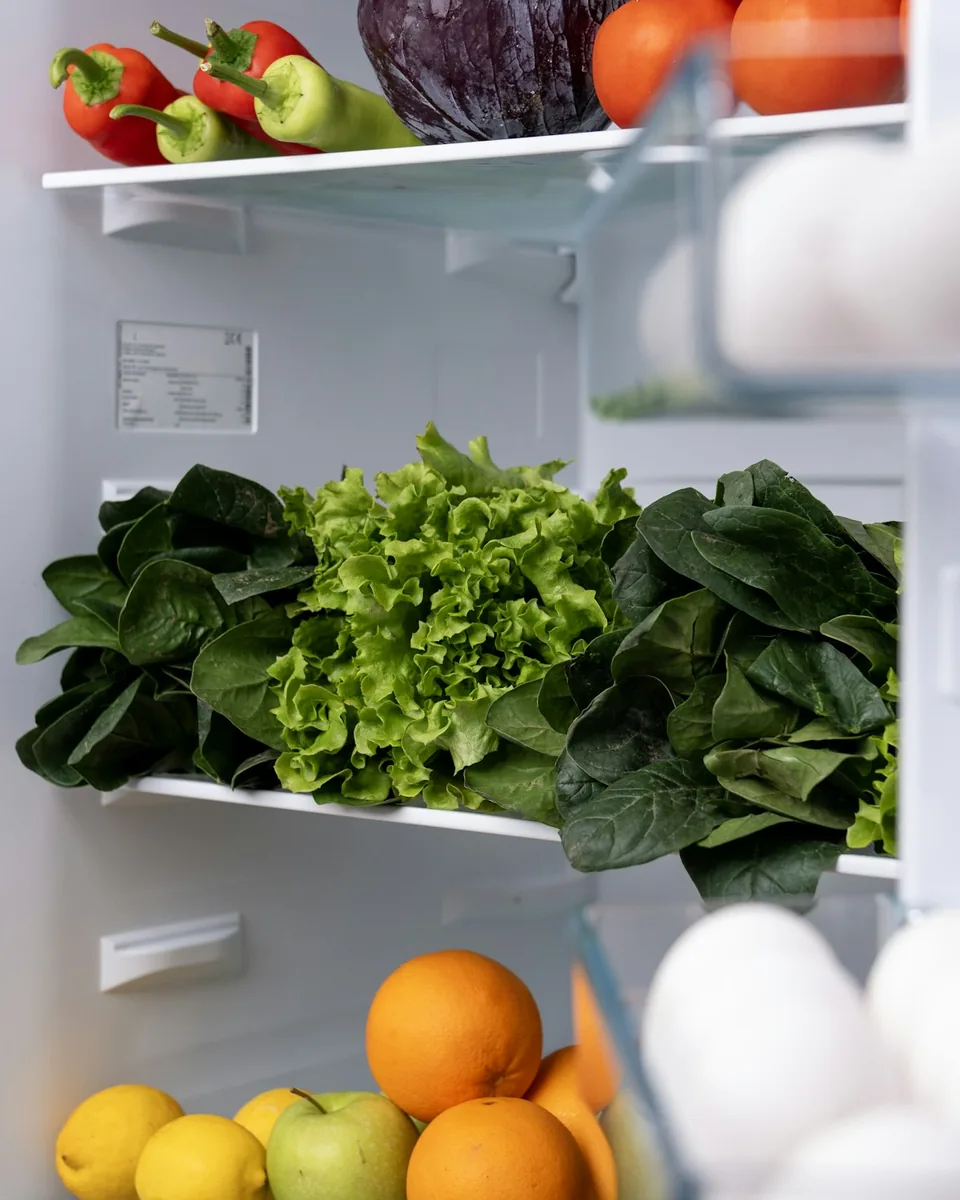
Your own recipes, ranked by what is already in the fridge — with the one or two things still missing named, not guessed.
One kitchen, two phones
Invite the person you live with. Tick it in the store and it disappears on their list too.
Paste a link, keep the recipe
Most big recipe sites import in one go. You check it before it saves.
Repeat last week
A week that worked copies into an empty one in a tap.
Four kitchen themes
Rose & Sage, Citrus Picnic, Berry Brunch or Lagoon Market.
Servings that do the math
Cooking for six instead of four? Every amount on the recipe — and on the list — scales with it.
Cook mode
One step on screen, a timer, and only the ingredients that step needs.
Fridge Rescue
Open the fridge. See a dinner.
Tap what is in your kitchen right now. This is a small version of Fridge Rescue with seven easy dinners — nothing is saved and nothing is sent anywhere.
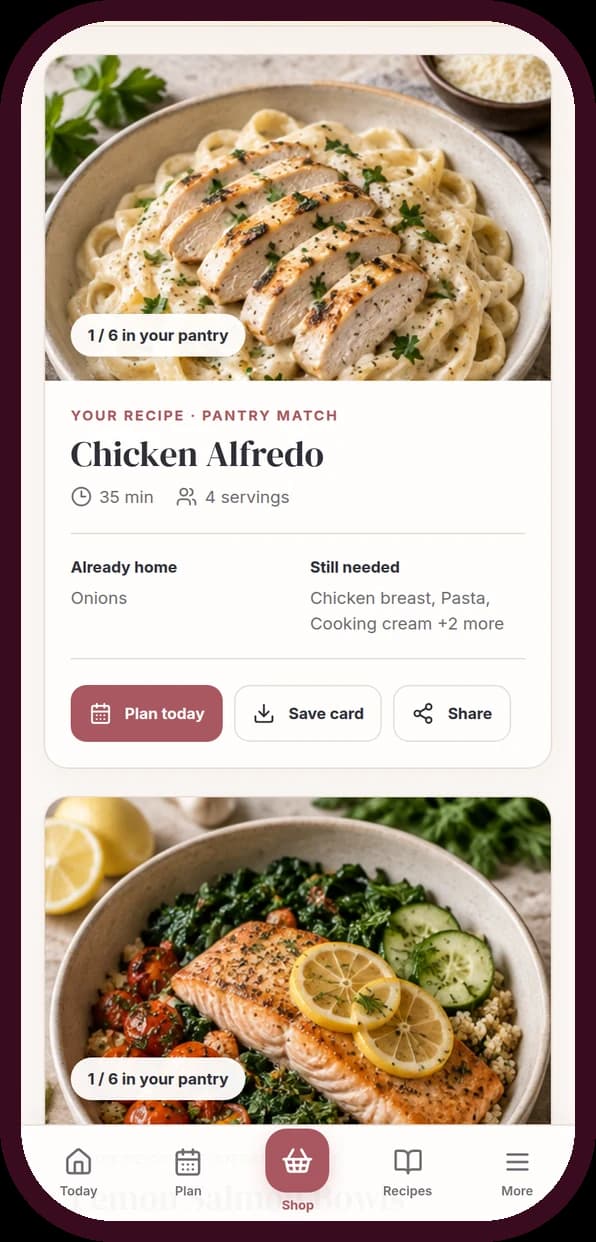
1. Tap what you have right now
2. What you could make tonight
Pick two or three things you know are in the fridge or cupboard. The dinners closest to ready move to the top.
In the app this runs on your own recipes and your real pantry amounts. Plan one in a tap and only the missing items land on the grocery list.
Pay once. Plan dinner for years.
No subscription, no renewal, nothing to cancel.
$17
one time · no renewal
- Lifetime access to the Rhubarb web app — phone, tablet and laptop
- Recipes, a flexible dinner plan, pantry and an aisle-grouped list
- Shopping mode, cook mode and Fridge Rescue
- A shared kitchen with the person you live with
- PDF grocery lists and recipe cards, plus a full backup file
- Free updates, with no second purchase
Payments are securely processed by Stripe. We never see or store your card details.
If it does not fit, say so. Email within 14 days and you get your money back, no explanation required.
12 months
After 12 months you would keep $54.40. From month 3 on, paying once costs less.
Subscription figure: Plan to Eat at $5.95 a month bought on its website, checked September 2026. Prices change, so check them yourself. This compares what you pay, not which app suits you better.
Read this before you buy.
The honest edge of what Rhubarb does.
- No calorie or macro counting.
- No nutrition scores, no “good” and “bad” food. It plans dinners and writes the list.
- Not an App Store app.
- A web app you add to your Home Screen, where it opens with its own icon.
- Needs an account to sync.
- The list you already opened stays usable if the signal drops in the store; changes sync once you are back online.
- Link import is not universal.
- It reads sites that publish their recipe in the standard structured format — most big ones do. Otherwise you type it in.
- AI ideas are optional and limited.
- Fridge Rescue can draft two ideas from your pantry, five times a day, for you to check. Everything else works without AI.
Questions, answered.
Something else? Email hello@adhdpearls.com.
Free food tools: Tonight and the Chaos Fallback Card.
Is this made for ADHD?+
It was built for anyone who finds meal planning harder than it should be, which is why it skips the full seven-day grid, keeps decisions small and does the list for you. It is not a medical tool, and it does not need a diagnosis to be useful.
I already have the All-in-One ADHD Planner. Do I need this too?+
Probably not. The planner has a simple meal tab that builds a grocery list, and if that is working for you, keep using it. Rhubarb is the deeper kitchen tool: saved recipes, pantry amounts, Fridge Rescue, shopping and cook modes, and a list shared live with your household.
You have free food tools. Why pay for this?+
Tonight picks one dinner by the energy you have, and the Chaos Fallback Card gives you five things to eat when there is nothing left. Both stay free. Rhubarb is what runs behind them: your own recipes, the pantry, and a list that builds itself. If the free ones are enough, use the free ones.
Can I share it with my partner or roommate?+
Yes. From Household you create an invitation, they sign up with their own email, and you both edit the same kitchen. One purchase covers the kitchen you share.
Does it work on my phone?+
Yes, it was built phone-first and checked down to 360 pixels wide. Add it to your Home Screen for one-tap access in the store.
Do I need an account?+
Yes, a free account with your email and a password. That is what lets your plan and list follow you between phone, laptop and the person you shop with.
Can I get my recipes out again?+
Yes. Any recipe saves as a PDF card, the list exports as a PDF or text, and Settings downloads a backup of your whole kitchen.
Is it a subscription?+
No. One payment of $17. Updates are included and there is nothing to cancel.
What if it does not fit how I cook?+
Email within 14 days and you get your money back, with no explanation required.
Dinner,
decided.
Tonight.
Three dinners and a list, in the browser you already have. $17 once, and it is yours.
Rhubarb is an everyday kitchen tool, not medical or nutrition advice. It does not diagnose or treat ADHD or any other condition. Lifestyle photos from Unsplash; the app screens are real, unedited screenshots.